Procore · Compliance · Prequalification
How General Contractors Streamline Subcontractor Compliance and Prequalification in Procore
Quick answer
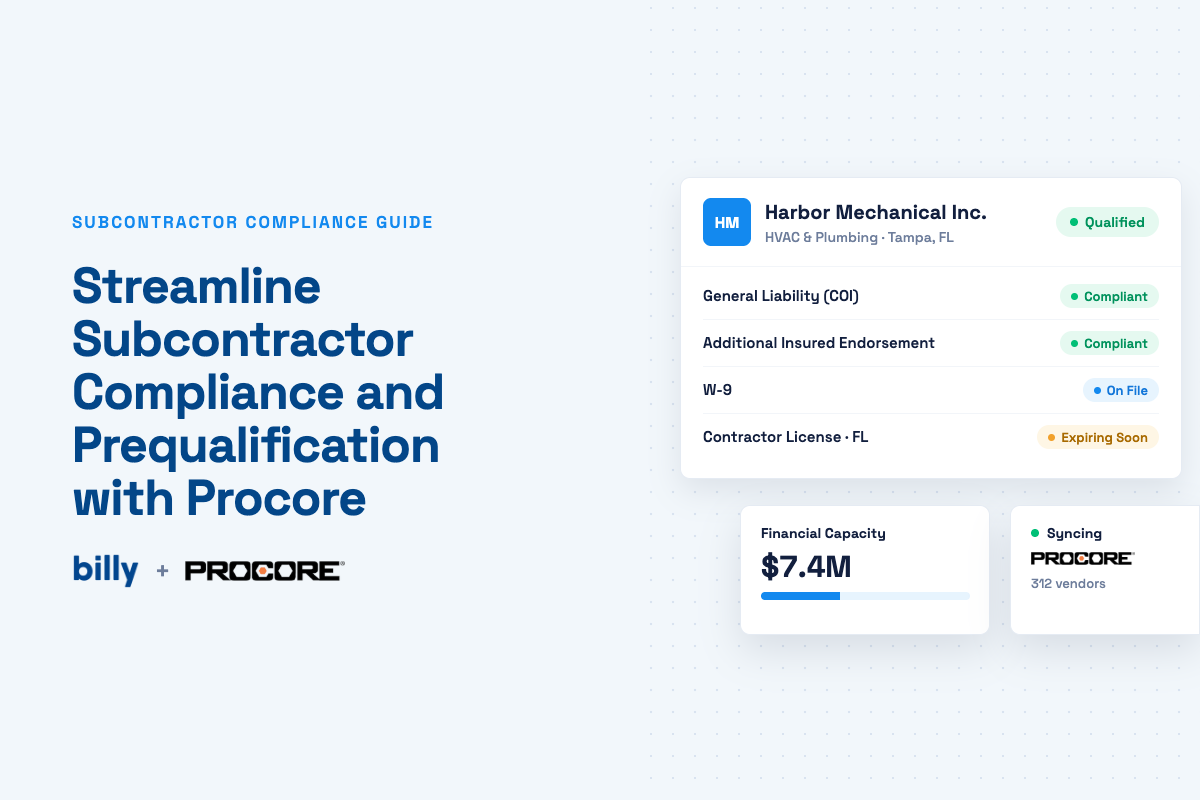
How can GCs streamline subcontractor compliance in Procore? Use Procore as the system of record for projects, vendors and commitments, and connect it to a specialized compliance and prequalification platform that collects and reviews the documents. The connected platform gathers COIs, endorsements, W-9s, licenses, safety records and bonding letters, uses AI to check them against each project’s requirements, tracks a subcontractor’s financial capacity against the work already awarded, and writes compliance status back into Procore so project and payment teams see it where they already work.
Key takeaways
- Compliance asks whether a subcontractor has met your requirements. Prequalification asks whether you should hire them for this scope. You need both, and they share most of the same documents.
- Procore gives you the structure: a Prequalifications tool, insurance records in the Directory, and compliance templates tied to payment with Procore Pay.
- The manual work that remains is reading the documents: endorsements, limits, expirations and bonding letters. That’s where AI earns its keep, with a person still approving exceptions.
- A COI tells you a sub is insured. It doesn’t tell you they can carry the work. Bonding capacity measured against awarded contracts does.
What is subcontractor compliance?
Subcontractor compliance is the process of confirming that every subcontractor and vendor on a project has provided the documents your contract requires, and that those documents actually meet the requirements. For most general contractors that starts with insurance: a certificate of insurance (COI), the endorsements behind it, and coverage limits that match the project. It extends to tax forms, licenses, safety documentation, bonds and contract paperwork.
The hard part isn’t the definition. It’s the volume. A mid-size GC can have hundreds of active subs, each with several policies, across dozens of projects with different owner requirements. Every one of those documents expires on its own schedule. Compliance is less a checkpoint than a status that has to stay true for the life of the job, which is why it breaks down in spreadsheets and inboxes.
What documents should GCs collect from subcontractors?
Most GCs collect documents in eight categories. The when matters as much as the what: collecting everything up front slows onboarding, while collecting too late means a sub mobilizes before you know they’re covered.

| Category | Common documents | Typically collected |
|---|---|---|
| Insurance | COI (ACORD 25), additional insured endorsements such as CG 20 10 and CG 20 37, waiver of subrogation, primary and non-contributory wording, umbrella, workers’ comp | Before award or mobilization, then at every renewal |
| Tax | W-9 | At vendor setup, before first payment |
| Business | Trade licenses, state registrations, certificates of good standing | At prequalification, rechecked on expiration |
| Safety | EMR, TRIR, OSHA logs, written safety program | At prequalification, usually refreshed annually |
| Experience | Project history, references, key personnel, capacity by trade | At prequalification |
| Financial | Financial statements, working capital, backlog, surety letter with single and aggregate bond limits | At prequalification, and before large awards |
| Contracts | Master subcontract agreement, subcontract, bonds | At award |
| Project-specific | Lien waivers, certified payroll, warranties, closeout documents | With pay applications and at closeout |
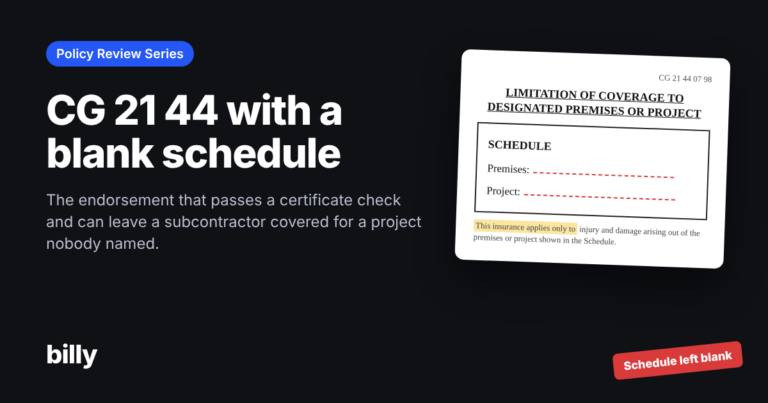
Endorsements are where most COI problems hide. A certificate can list the right carrier and limits while the endorsement that actually grants additional insured status is missing, limited to ongoing operations only, or names the wrong entity. We cover the details in how to verify a waiver of subrogation and how to read a certificate of insurance.
How does subcontractor prequalification work?
Subcontractor prequalification is the process a GC uses to decide whether a subcontractor is qualified to bid on or perform a given scope of work, based on their safety record, experience, insurance, licensing and financial strength. Most programs follow six stages:
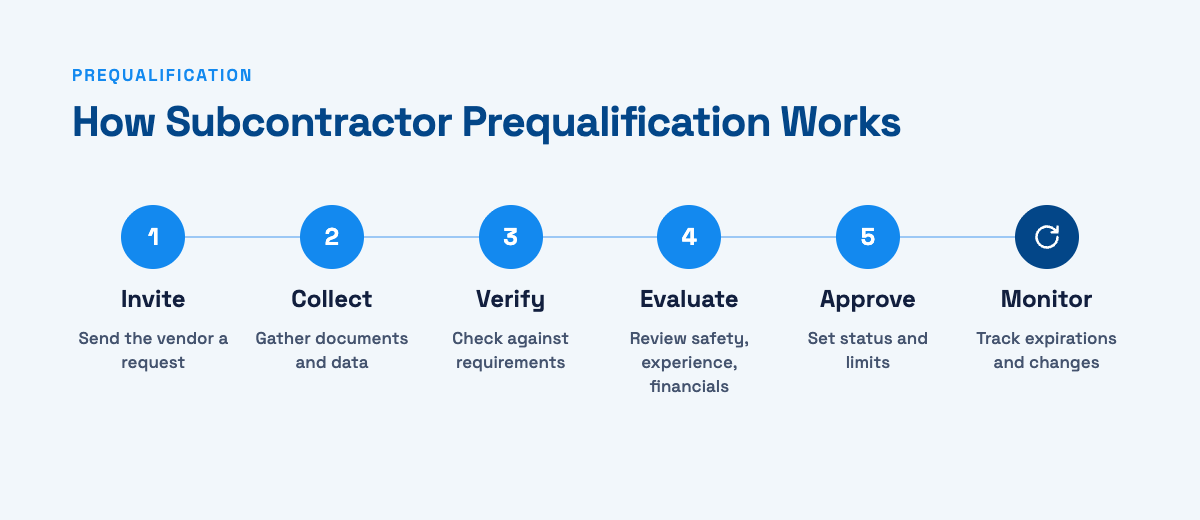
- InviteSend the subcontractor a prequalification form, either for a specific bid package or as part of an annual program.
- CollectThe sub submits company details, safety metrics, references, insurance and financial documentation in one place instead of over email.
- VerifyCheck submitted claims against source documents: the surety letter, the COI and endorsements, the EMR worksheet, the license lookup.
- EvaluateScore the sub against your criteria. Many GCs weight safety, experience and financial capacity differently by trade and contract size.
- ApproveAssign a status and a limit, such as “approved up to $5M single project,” with any exceptions documented and signed off by the right person.
- MonitorPrequal is a snapshot. Insurance expires, backlog grows and EMRs change, so qualified subs need ongoing checks, not a one-time stamp.
If you’re building or updating your form, start from our subcontractor prequalification form template.
What is the difference between compliance and prequalification?
Compliance asks, “Has this subcontractor provided the required documents, and do they meet our requirements?” Prequalification asks, “Should we hire this subcontractor for this work?” Compliance is a yes-or-no status that has to stay current. Prequalification is a judgment about risk and fit.

| Compliance | Prequalification | |
|---|---|---|
| Core question | Are the required documents in place and valid? | Is this sub a good fit for this scope and size? |
| Timing | Continuous, from mobilization to closeout | Before bidding or award, then periodically |
| Typical owner | Compliance, contracts or AP team | Preconstruction, risk and operations |
| Output | Compliant Expiring Non-compliant | Approved, approved with limits, or declined |
| What goes wrong | An expired policy on an active job | A sub awarded more work than they can carry |
The two are tightly linked. The insurance you verify during prequal is the same insurance you need to keep current during the job, and a sub who drops out of compliance mid-project is a prequalification problem you didn’t see coming. Running both from one vendor record means you collect documents once and use them twice.
What does Procore do natively for subcontractor compliance?
Procore gives GCs a solid structure for vendor information. Here’s what’s built in, based on Procore’s own documentation:
- Prequalifications and the Prequalification Portal. Procore’s Prequalifications tool lets GCs and owners set up forms and evaluate potential bidders, while invited subcontractors submit their materials through the Prequalification Portal.
- Insurance records in the Directory. Insurance documents can be stored against each company in the Company and Project Directory, and Procore tracks a compliance status for those records.
- Compliance templates with Procore Pay. For Procore Pay users, compliance templates define required documents on commitments, such as bonds, licenses, project insurance, safety documents and W-9s, and can make insurance and contract compliance a condition of payment. One template can be assigned per project.
What Procore doesn’t do on its own is read the documents. Someone still has to open each COI, check limits against the project’s requirements, find the endorsement, confirm the named insured matches, chase the broker for corrections and decide whether a bonding letter supports the next award. Across hundreds of vendors, that review is where most compliance teams spend their week.
That’s why many GCs extend Procore with specialized apps for the review work. Billy’s Procore integration is one of them: Procore stays the system of record, and Billy handles collection, review, prequalification and financial capacity.
Where can AI help with subcontractor compliance?
AI is most useful on the repetitive reading and comparing that eats a compliance coordinator’s day. In practice that means:
- Extracting data from COIs: carriers, policy numbers, limits and effective and expiration dates.
- Comparing endorsements to requirements: flagging a missing CG 20 37, a waiver of subrogation that isn’t there, or wording that isn’t primary and non-contributory.
- Catching insufficient limits: a $1M/$2M GL policy on a project that requires $2M/$4M plus a $5M umbrella.
- Spotting missing documents: the W-9, license or safety program that never came in.
- Telling vendors what to fix: plain-language correction notes to the sub or broker before the document ever reaches your team.
- Reading financial documents: pulling bond limits and financial metrics from a surety letter or financial statement.
- Answering questions in plain language: “Which subs on Project 24-118 have GL expiring in the next 30 days?”
Billy’s AI Review Assistant reviews an uploaded COI against your requirements, typically in seconds, and shows the vendor what to correct. With the Billy MCP server, teams can ask those compliance questions from Microsoft 365 Copilot, Claude or ChatGPT.
AI speeds up review. It shouldn’t own approvals. Construction teams still need controls around who can approve a non-compliant document, who can waive a requirement, and how exceptions are recorded. A good system makes the AI’s findings visible, keeps a person accountable for the decision, and labels which figures are verified from source documents and which are self-reported by the vendor.
Why does financial capacity belong in prequalification?
Insurance compliance answers one risk question: if something goes wrong on site, is there coverage? Financial capacity answers a different one: can this subcontractor actually carry the work we’re about to give them? A fully insured sub can still default because they took on too much.
There’s no universal formula, but GCs commonly look at a handful of indicators together:
- Bonding capacity. The surety’s single project limit (the largest contract it will bond) and aggregate limit (total bonded work at one time). It’s the underwriter’s own view of what the sub can handle.
- Committed exposure and headroom. How much of that aggregate limit your awarded contracts already use, and what’s left.
- Backlog. Signed work across all of the sub’s customers, not just you. Backlog divided by the aggregate limit shows how stretched they are.
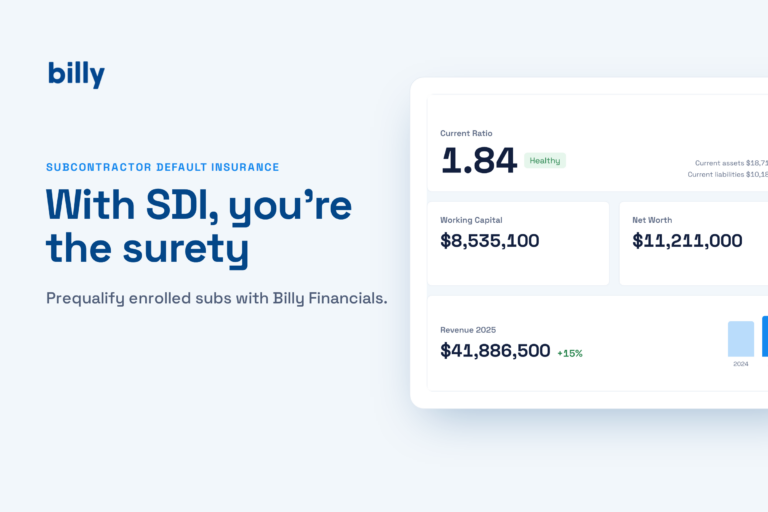
- Liquidity. Working capital and current ratio. Billy flags a current ratio of 1.50 or above as healthy, 1.20 to 1.50 as worth watching, and below 1.20 as a concern.
- Concentration. Your exposure as a share of their annual revenue. If you’re most of their book, a slowdown on your job hits their cash flow hard.
On paper this sub looks comfortable. Backlog-to-aggregate is 0.37×, reasonable but worth knowing. Now the next bid package is a $25M scope: that’s $5M over their single project limit, and you’d want to see that before anyone signs, not after.
Most compliance tools file the surety letter as a PDF and never compare it to anything. Billy’s Financials tab reads the letter, adds up the contract amounts on every active contract you have with that vendor, and shows remaining headroom on the vendor profile, next to their COIs and prequalification. Bond limits come from the surety letter; figures like backlog and working capital are self-reported, and Billy labels them that way. Read more in subcontractor bonding capacity: why tracking COIs isn’t enough, and if you run an SDI program, how SDI contractors use Billy Financials.
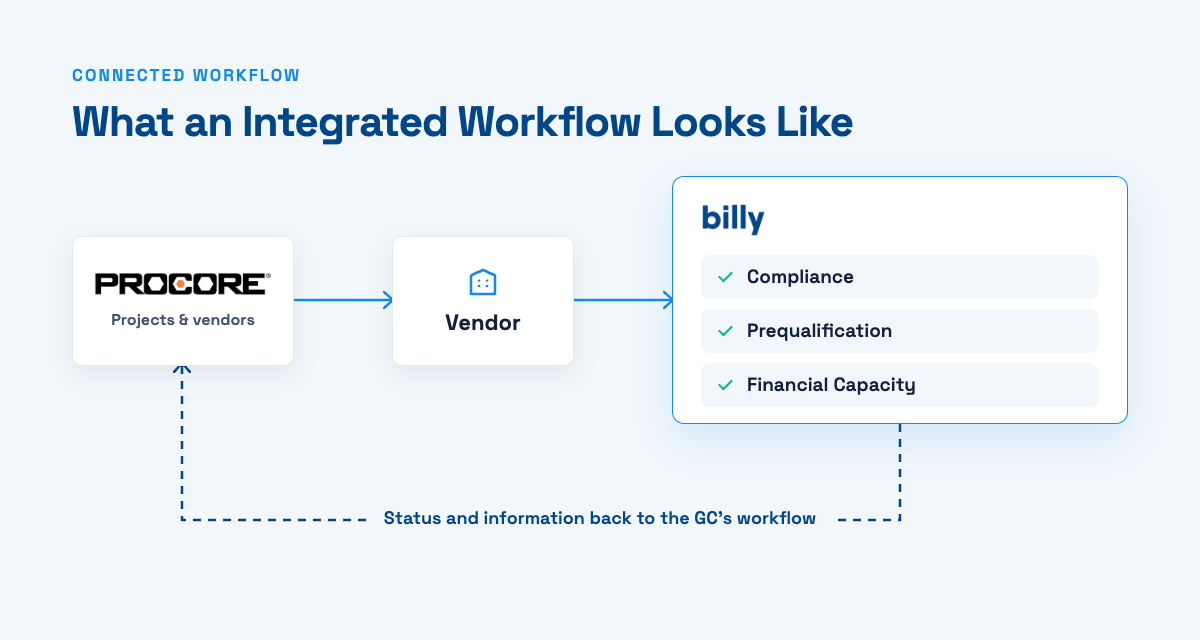
What does an integrated Procore and Billy workflow look like?
The goal is simple: data is entered once in Procore, reviewed once in Billy, and the result shows up wherever your project and payment teams already work.
| Direction | What syncs |
|---|---|
| Procore → Billy | Active projects, vendors from the Directory, commitments and purchase orders |
| Billy → Procore | Vendor insurance records and project insurance coverage |
| Billy → Procore Pay | Project and vendor compliance, including COIs, W-9s, business licenses and warranty letters |
| Inside Procore | The Billy side panel shows vendor compliance wherever Procore displays the side panel, so superintendents and PMs can check a sub before they’re on site |
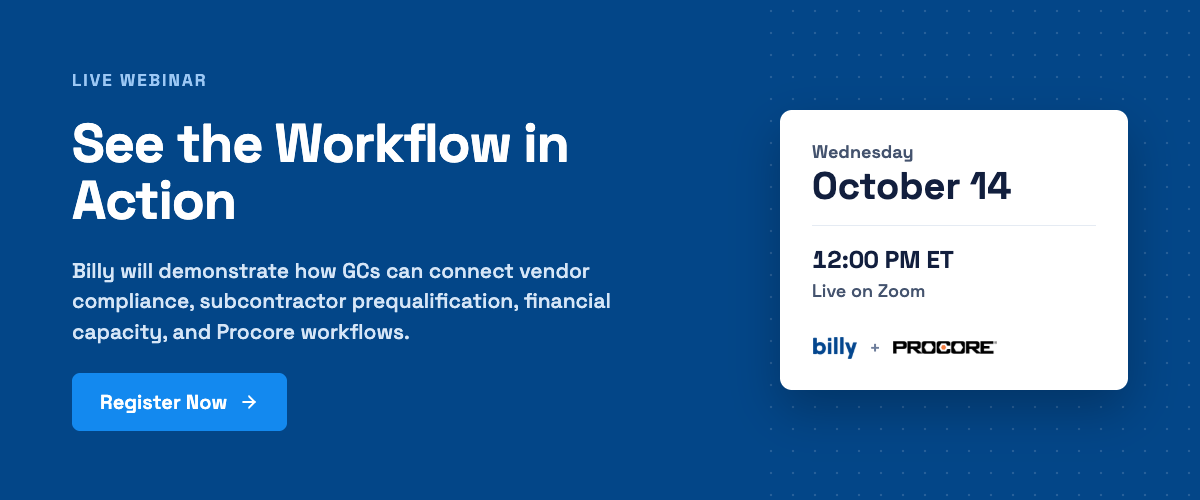
We’ll walk through this exact workflow live, end to end, on October 14.
Live webinar for Procore users
Everything You Can Do Inside Procore
Wednesday, October 14, 2026 · 12:00 PM ET · Live on Zoom
A working session for general contractors who run their projects on Procore. We’ll show, in a live account:
- Prequalification: scoring a sub, with EMR, single project limit and aggregate bonding on one profile
- Compliance: company documents, expirations and project-level requirements like GL limits, umbrella and waiver of subrogation
- Financials: available bonding capacity measured against the work you’ve awarded
- Integrations: projects, vendors and commitments syncing between Billy and Procore
- AI: COI review, vendor correction guidance and plain-language questions about your compliance data
Frequently asked questions
Does Procore track certificates of insurance?
Yes. Procore can store insurance documents against companies in the Directory and track a compliance status, and Procore Pay users can make insurance compliance a payment requirement. Procore doesn’t read the certificate or endorsements for you, so many GCs pair it with a COI review tool like Billy that syncs results back into Procore.
Can you prequalify subcontractors in Procore?
Yes. Procore’s Prequalifications tool lets GCs build forms and evaluate subcontractors, who submit through the Prequalification Portal. Teams that also want insurance review and bonding capacity tracked against awarded contracts on the same vendor record often add a connected platform for those parts.
What insurance endorsements should a GC check on a subcontractor’s COI?
The most common are additional insured endorsements for ongoing operations (CG 20 10) and completed operations (CG 20 37), waiver of subrogation, and primary and non-contributory wording. Your subcontract and the owner’s contract determine which are required on each project.
How often should subcontractors be prequalified?
Many GCs prequalify annually and again before large or unusual awards, while others prequalify per project. Either way, insurance and bonding capacity should be monitored continuously, because both change between prequalification cycles.
What is subcontractor bonding capacity?
Bonding capacity is the amount of bonded work a surety will guarantee for a subcontractor. It’s expressed as a single project limit, the largest contract the surety will bond, and an aggregate limit, the total bonded work the sub can carry at one time.
Can AI approve subcontractor COIs on its own?
It shouldn’t. AI is very good at extracting data, comparing documents to requirements and telling vendors what to fix. Approving exceptions and waiving requirements should stay with a person on your team, with the decision recorded.