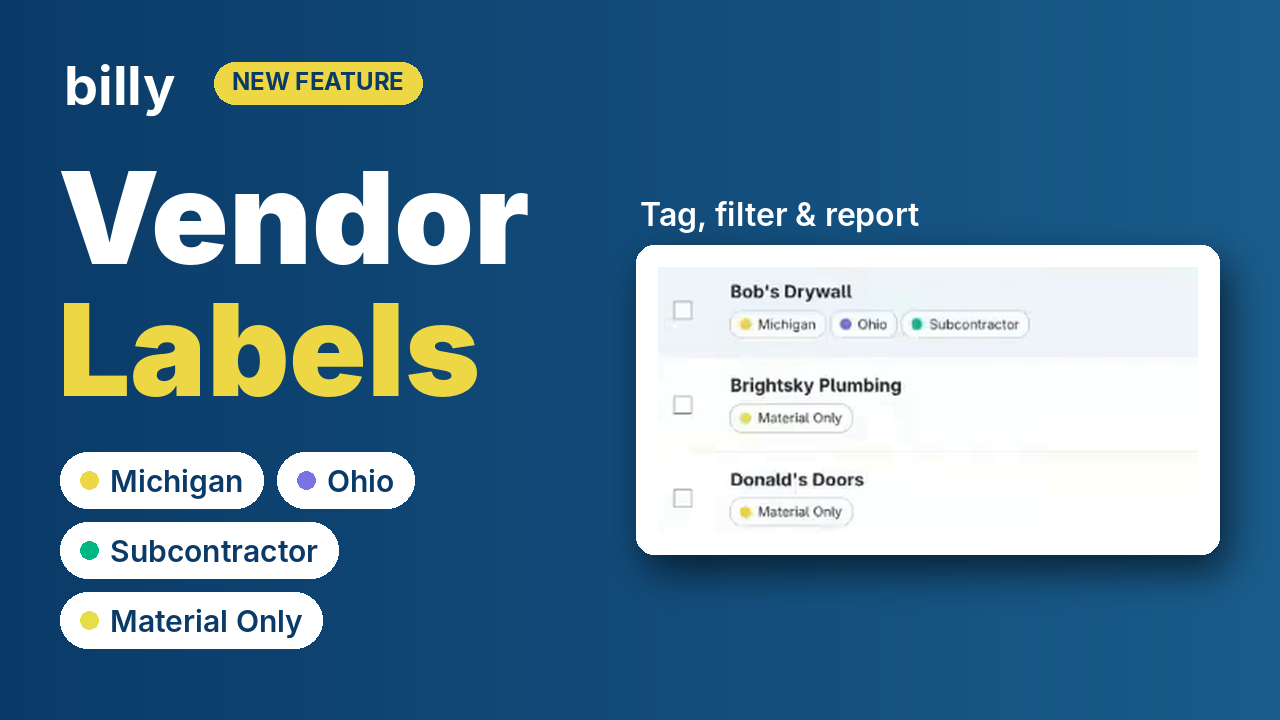
Every compliance team sorts its vendors differently. With Vendor Labels, you can tag any vendor with the labels that matter to your team, then filter, bulk-label and report on them.
One team needs to separate on-site subcontractors from material-only suppliers. Another needs to know which states each vendor is licensed in. A third wants to flag the preferred vendors it has negotiated better pricing with.
Until now, that context lived in spreadsheets, notes fields or someone’s head. Vendor Labels put it right on the vendor record in Billy, where your whole team can see it and use it.
What you can do with Vendor Labels
Label a vendor in seconds
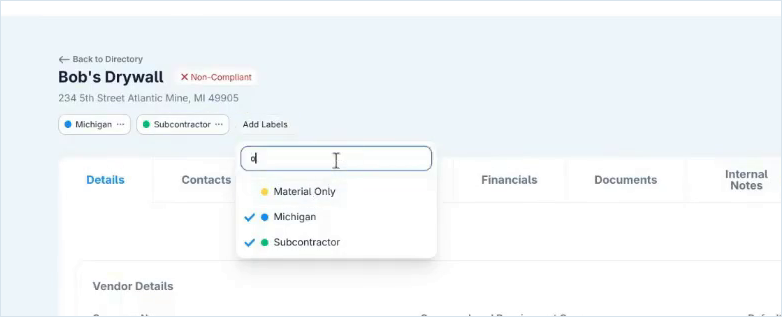
Open any vendor’s profile and click Add Labels under their name. Pick an existing label or type a new one to create it on the spot. A vendor can carry as many labels as you need, for example Michigan Ohio and Subcontractor at once.
Label many vendors at once
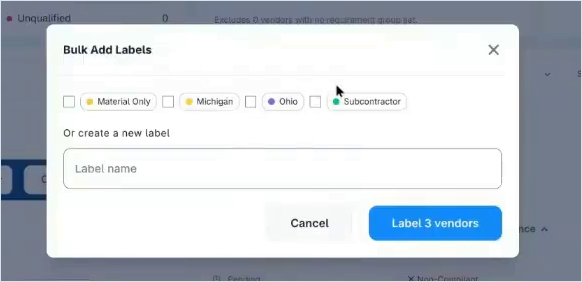
In the Vendor Directory, check the vendors you want, choose Add Labels from the bulk actions menu, and apply one or more labels to all of them in a single step. Tagging every material-only supplier takes one click instead of dozens.
See and filter by label
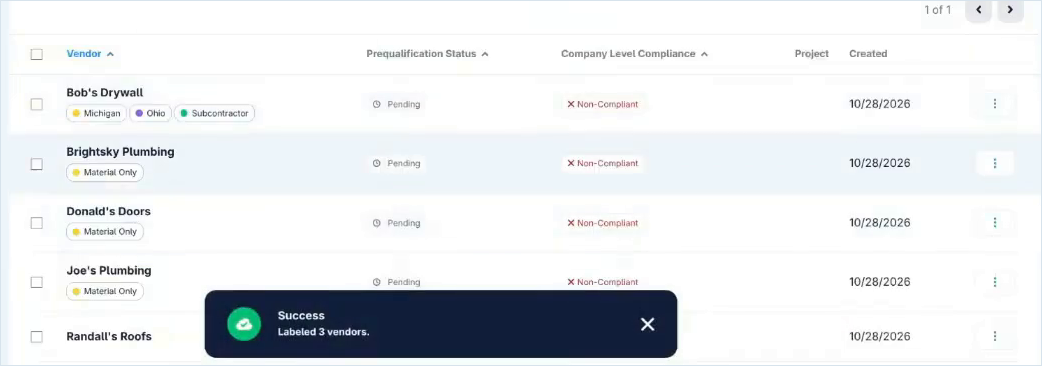
Labels appear as colored tags under each vendor’s name in the Directory. Use the Select Labels filter to narrow the list to exactly the group you’re working with.
Keep your labels tidy
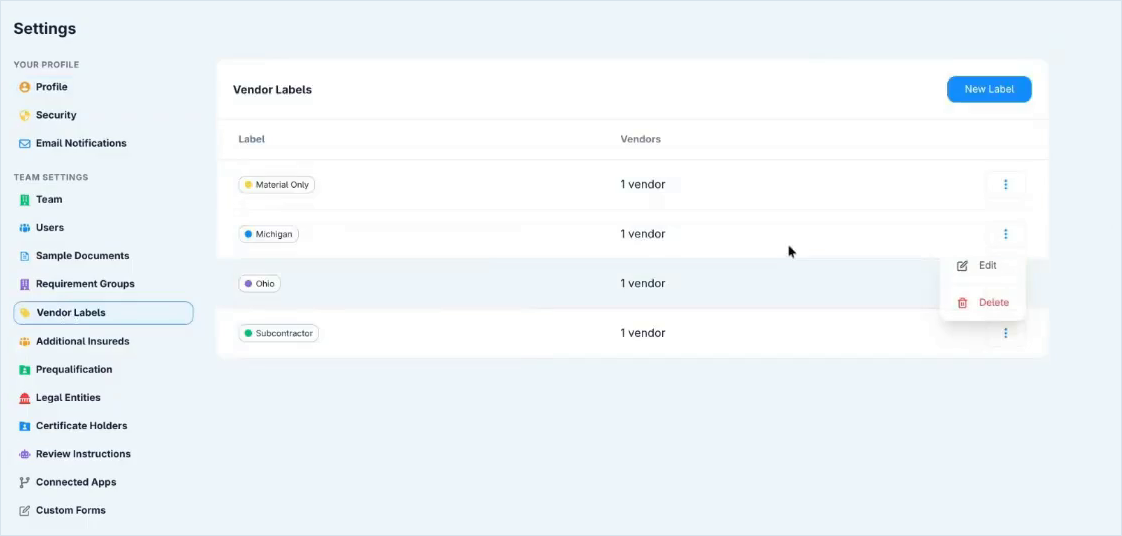
A dedicated Vendor Labels page in Settings lists every label and how many vendors carry it. From there you can add new labels, rename them, pick a color or delete them.
Take labels into your reporting
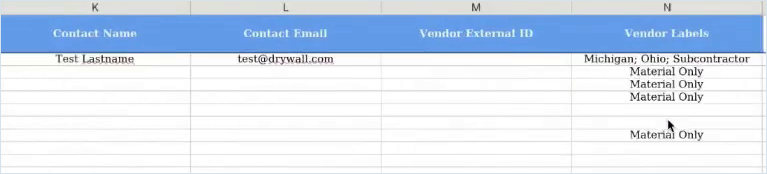
The Global Compliance report now includes a Vendor Labels column. When a vendor has several labels, they’re separated by semicolons (Michigan; Ohio; Subcontractor), so the CSV export is easy to split and filter in Excel, Power BI or any other tool.
Ideas for using vendor labels
Labels are purpose-built to be flexible. A few ways teams are already using them:
- Vendor typeSubcontractors who go on site vs. material-only vendors
- GeographyThe states a vendor is licensed or works in
- Office or regionWhich of your offices manages the relationship
- Preferred vendorsPartners with better pricing or a strong track record
Or create labels for any grouping your team already tracks by hand.
Vendor Labels are live in Billy
Read the step-by-step guide, or see how Billy automates COI tracking for your team.