Developers · AI agents
Quick answer
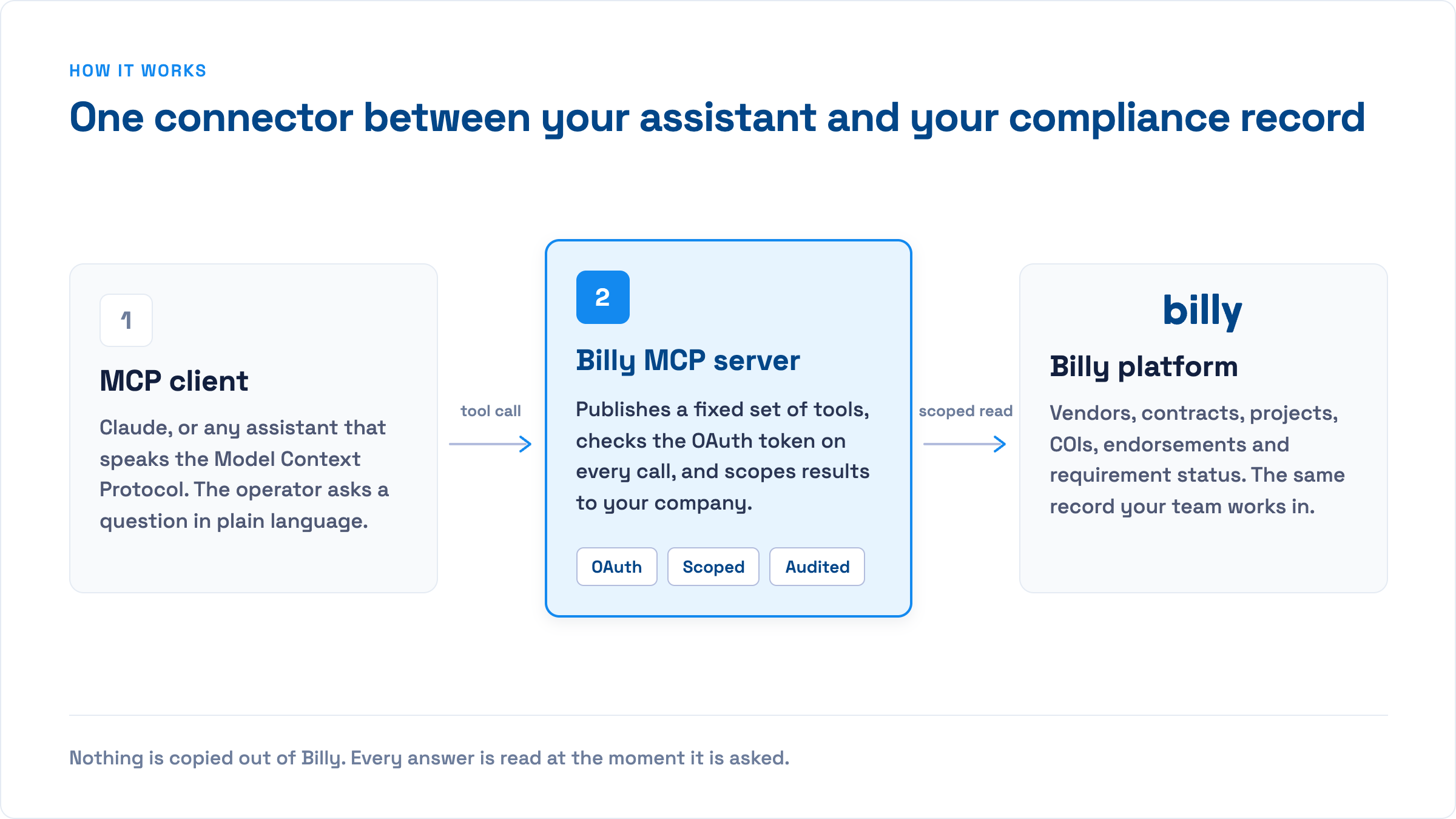
The Billy MCP server lets Microsoft 365 Copilot, Claude, ChatGPT and any MCP-compatible agent read and act on your certificate of insurance and vendor compliance data. It exposes your teams, projects, vendors and contracts as tools, plus the ability to create vendors and contracts and trigger certificate requests. It runs at https://app.billyforinsurance.com/mcp over streamable HTTP with OAuth, and is scoped to the company and team you authorise. For Microsoft 365 Copilot, a Copilot Studio maker adds Billy as an MCP tool to an agent once and publishes it to everyone; Claude and ChatGPT users connect it themselves. Read tools run freely; action tools ask for approval. Nothing is copied out of Billy.
Most construction compliance work is a question followed by an action. Which subs on this project are missing a certificate? Send them a request. We just awarded a contract to a new electrical sub, get them set up. Until now, answering that meant logging in, clicking through projects and contracts, and copying details between Billy, email and your project management system.
The Billy MCP server removes those steps. You ask the question in the AI tool you already use, the assistant queries Billy directly, and the action happens in the same conversation. This post explains what MCP is, exactly what the Billy server can do, how to connect it, and where its boundaries are.
What is MCP, in one paragraph
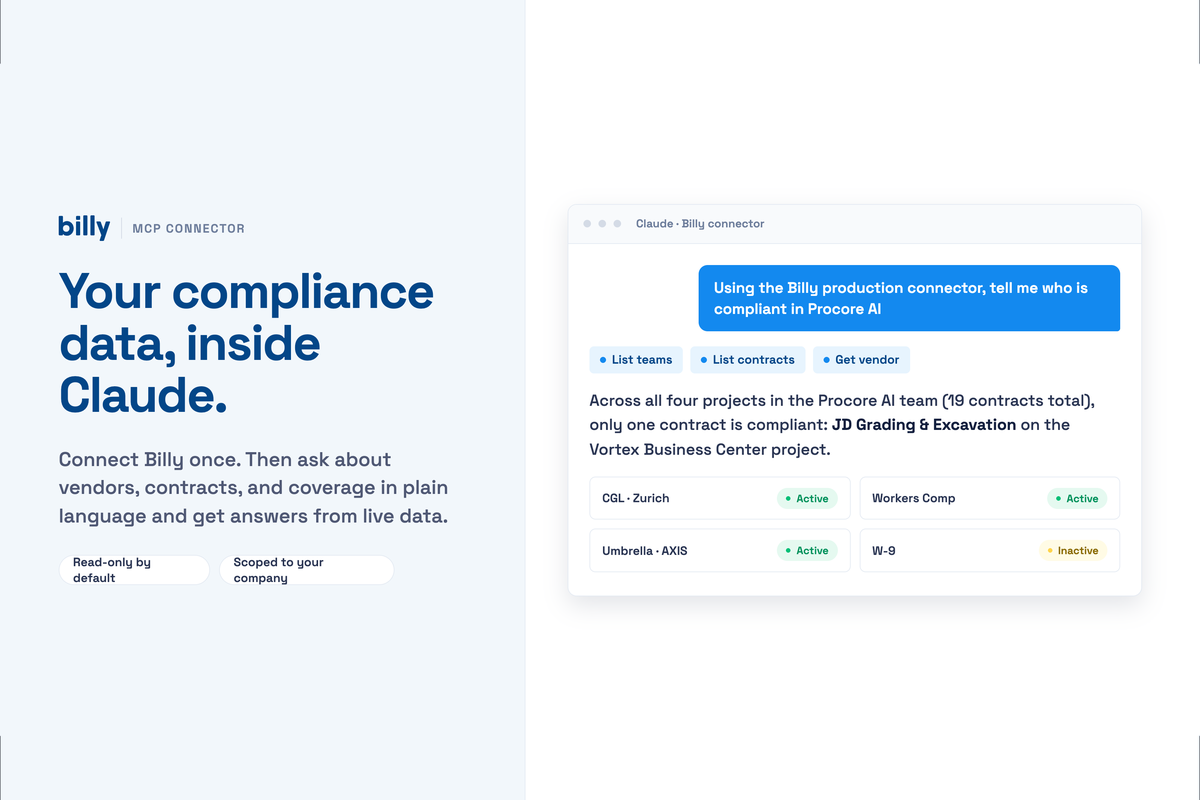
The Model Context Protocol (MCP) is an open standard, introduced by Anthropic in late 2024 and now supported across the major AI platforms, that lets an AI assistant connect to external software through a set of named tools. Instead of an integration built for one assistant, a software vendor publishes one MCP server and every MCP-compatible client can use it. When you ask Claude “how many contracts are on Northgate Medical Center,” the model decides to call Billy’s list_contracts tool, Billy returns structured data, and the model turns it into an answer or the next action.
What the Billy MCP server exposes
The server currently provides twelve tools. Every call is scoped by a team_slug, so the assistant only operates inside the Billy team you authorise.
| Area | Tool | What it does |
|---|---|---|
| Teams | list_teams | Lists the Billy teams you can act in and the permissions you hold in each. Called first so the assistant knows which team slug to use. |
| Projects | list_projects | All projects for the team, including those imported from ProjectSight, Procore or Autodesk. |
get_project | A single project by id, with its default requirement group. | |
| Vendors | list_vendors | Paged list of vendors, optionally including archived. |
get_vendor | One vendor by Billy id or by your external_id (for example the vendor number in your ERP). | |
create_vendor | Creates a vendor with a primary contact (name and email). | |
update_vendor | Renames, sets phone or external id, or archives a vendor. | |
| Contracts | list_contracts | Contracts filtered by project or by vendor. |
get_contract | Full detail for one contract. | |
create_contract | Links a vendor and contact to a project; inherits the project’s requirement group unless you specify another. | |
update_contract | Changes the requirement group, contact or external id on a contract. | |
| Actions | send_certificate_request | Emails the certificate request for a contract to the vendor contact, exactly as if you clicked “Request Documents” in Billy. |
Tool names and parameters are current as of September 2026. The authoritative list is in the developer docs.
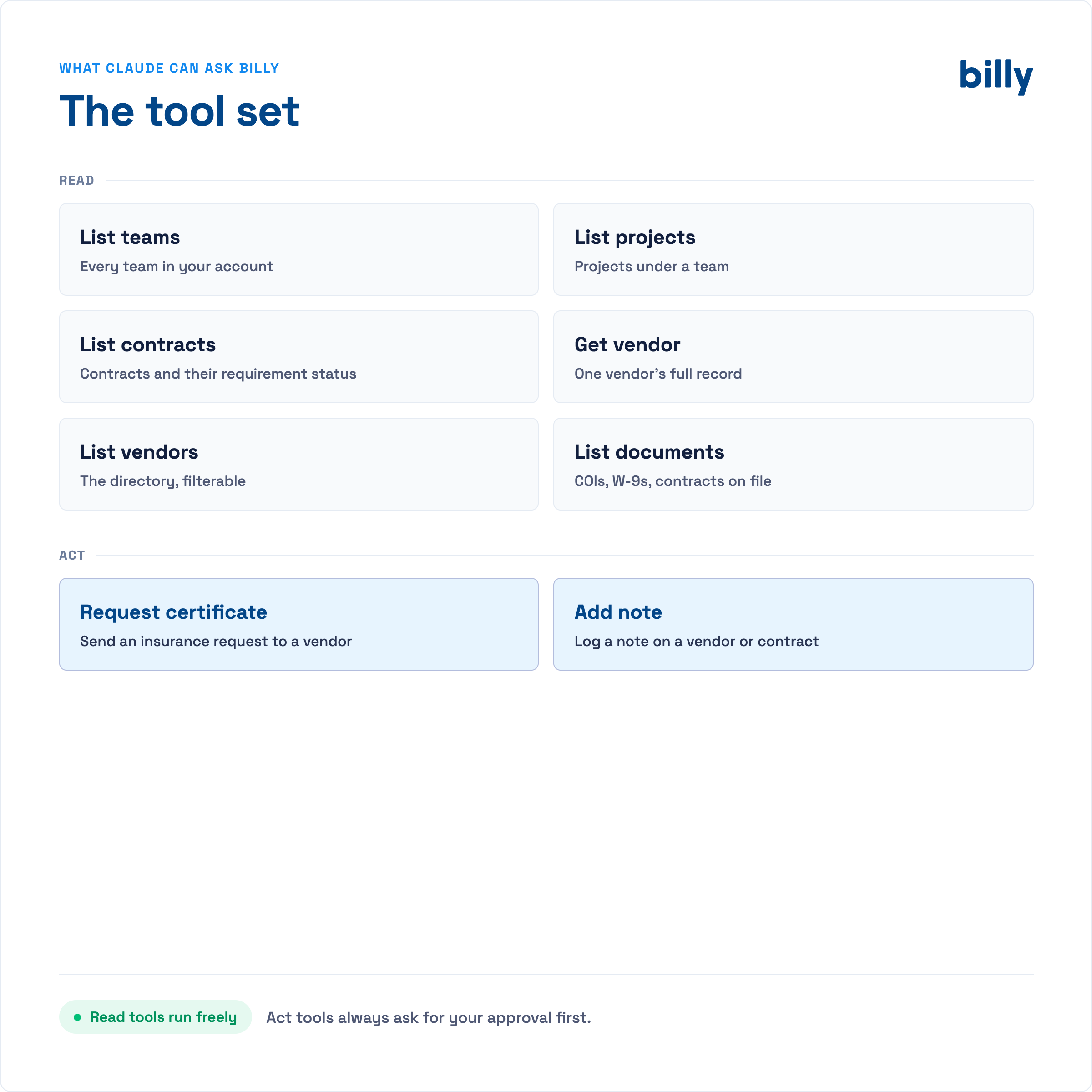
Notice what is not there: no tool deletes anything, no tool uploads or alters a certificate, and no tool changes a compliance decision. Reading and verifying documents stays with Billy’s AI Review Assistant and your reviewers. The MCP server is for getting answers and starting workflows, not for overriding them.
Three things it changes on a normal day
1. Onboard a new subcontractor from a chat
“We awarded the drywall package on Cedar Ridge Phase II to Ironwood Framing, contact Alan Brooks, a.brooks@ironwoodframing.com. Set them up and request their COI.” The assistant calls list_projects to find Cedar Ridge, create_vendor for Ironwood with Alan as contact, create_contract against the project (inheriting the project’s requirement group), then send_certificate_request. Four screens in Billy become one sentence, and it works the same from a Billy agent in Microsoft 365 Copilot, from Teams, from Claude, or from a terminal via Claude Code.
2. Answer compliance questions without opening the app
“How many active contracts does Cordova Concrete have across all our projects?” or “Which projects have contracts still on the default requirement group?” These are list_contracts and get_contract calls the model runs and summarises. Because the results come back as data, the assistant can also cross-reference them with anything else it has access to: your Outlook calendar, a Teams thread, an Excel export, a SharePoint document.
3. Keep external ids in sync
If your ERP or project platform assigns vendor numbers, update_vendor and update_contract accept an external_id. An agent can walk a list of vendors, match them to Vista or ProjectSight ids, and write the ids back, the tedious reconciliation that usually waits until an audit.
Connecting the Billy MCP server
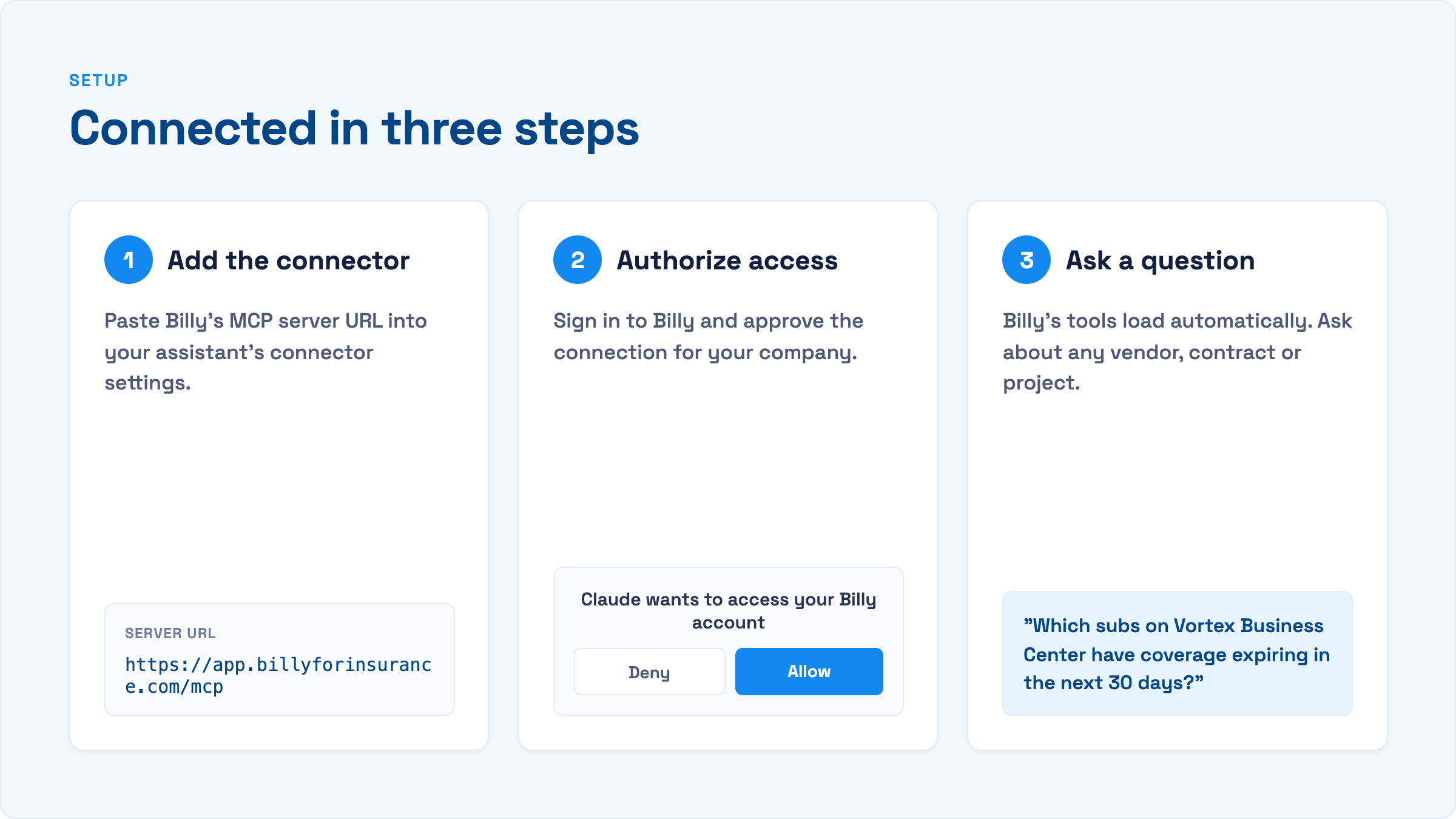
The server uses the streamable HTTP transport at a single URL and authenticates with OAuth against your Billy account. Which steps you follow depends on your assistant. Most Billy customers run Microsoft 365, so that path comes first.
Microsoft 365 Copilot (via Copilot Studio)
Microsoft 365 Copilot doesn’t let individual users paste an MCP URL. Instead, someone with Copilot Studio access builds a small agent that carries the Billy tools, publishes it, and everyone with a Microsoft 365 Copilot licence can add it. It’s a one-time job of about twenty minutes.
- Create the agent. In Copilot Studio, choose Create → New agent. Name it “Billy Compliance” and give it a short instruction such as “You help our team check subcontractor insurance compliance using Billy. Always confirm before sending a certificate request.”
- Add Billy as an MCP tool. Open Tools → Add a tool → Model Context Protocol and use the onboarding wizard. Server URL:
https://app.billyforinsurance.com/mcp. Transport: Streamable HTTP. Authentication: OAuth 2.0. - Enter the OAuth details. Copilot Studio asks for a client ID, client secret, authorisation URL, token URL and scopes. Billy provides these from Settings → Connected Apps → Microsoft Copilot. [VERIFY: confirm where the OAuth client for Copilot Studio is issued and the exact scope string.]
- Register the redirect URL. After the tool is created, Copilot Studio shows a redirect URL. Paste it into the Billy OAuth client so the sign-in loop completes.
- Create the connection and test. Select Create new connection, sign in to Billy, then ask the agent “list our projects in Billy” in the test pane. Copilot Studio discovers the tools from the server; there’s nothing to declare by hand, and new tools appear automatically.
- Publish to Microsoft 365 Copilot. Publish → Microsoft 365 Copilot and Teams. Depending on tenant policy an admin approves it in the Microsoft 365 admin centre. Users then find “Billy Compliance” in the agents list in Copilot and in Teams.
Prefer zero setup? Microsoft also runs a federated connector programme where vendors submit their MCP server for inclusion in the Copilot connectors gallery, so tenant admins can enable it with a click. Billy has submitted for review; that path only exposes read and search tools, so the Copilot Studio agent above remains the route for sending certificate requests. [VERIFY submission status before publishing, or cut this paragraph.]
Claude (web and desktop)
Settings → Connectors → Add custom connector, name it Billy, enter https://app.billyforinsurance.com/mcp, and sign in to Billy when prompted. Individual users can do this themselves.
Claude Code
claude mcp add billy --transport http https://app.billyforinsurance.com/mcpCursor and other MCP clients
{ "mcpServers": { "billy": { "url": "https://app.billyforinsurance.com/mcp" } } }ChatGPT
Add a connector with the same URL in ChatGPT’s connector settings and authenticate when prompted. [VERIFY current path and plan requirements.]
Testing against demo data
A demo environment with sample projects and vendors is available at https://demo.billyforinsurance.com/mcp, so a Copilot Studio maker can build and test the agent before pointing it at production. Ask Billy support for demo access.
Security and permissions
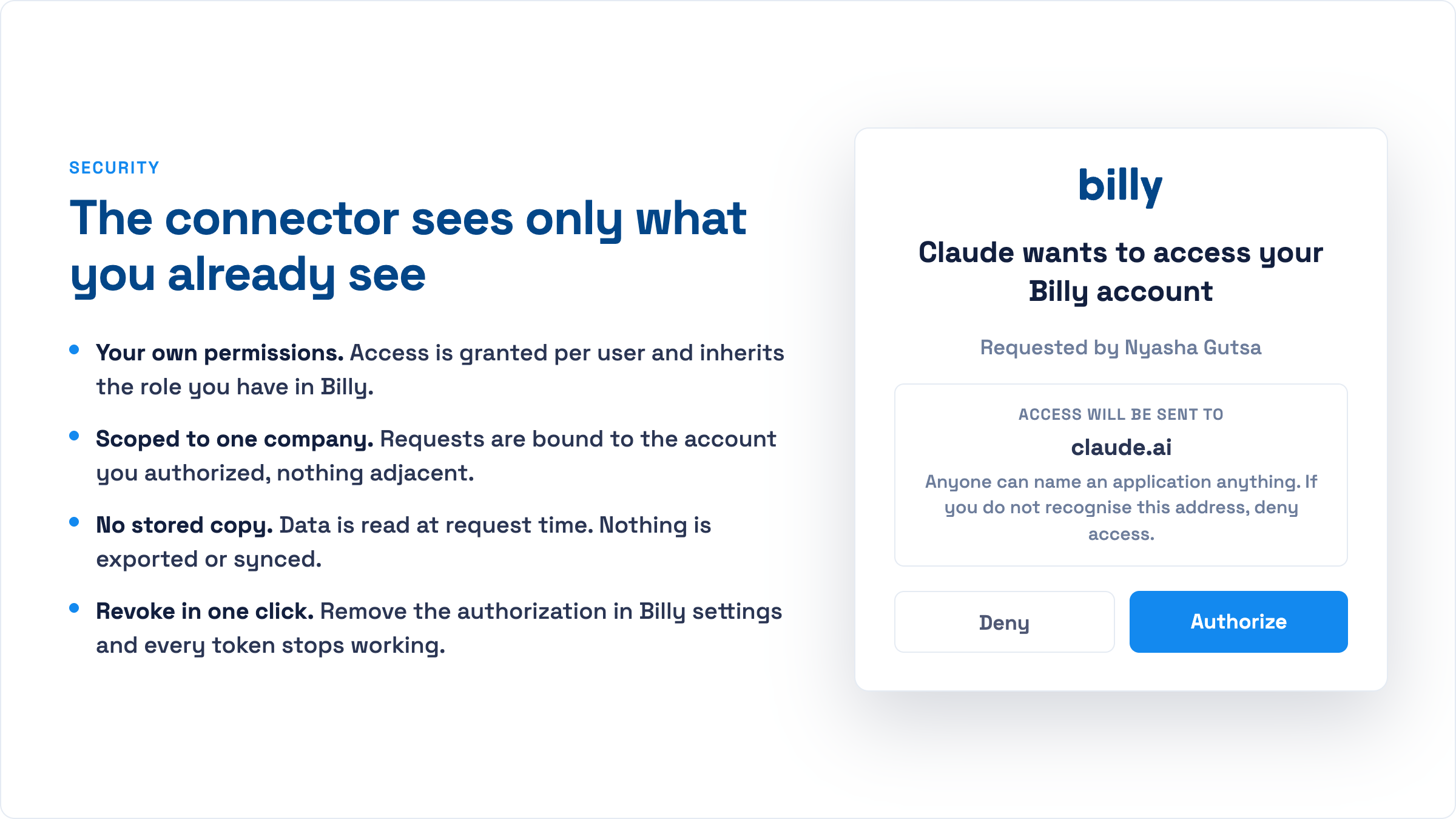
The connector sees only what you already see. Four properties make that true:
- Your own permissions. Access is granted per user and inherits the role you have in Billy. If you cannot create vendors in Billy, neither can the agent.
- Scoped to one company. Requests are bound to the account you authorised, and every tool call carries a
team_slug. Multi-entity GCs keep each business unit separate. - No stored copy. Data is read at request time. Nothing is exported, cached or synced to the AI provider.
- Revoke in one click. Remove the authorisation in Billy settings and every token issued to that client stops working.
Approval on every action tool
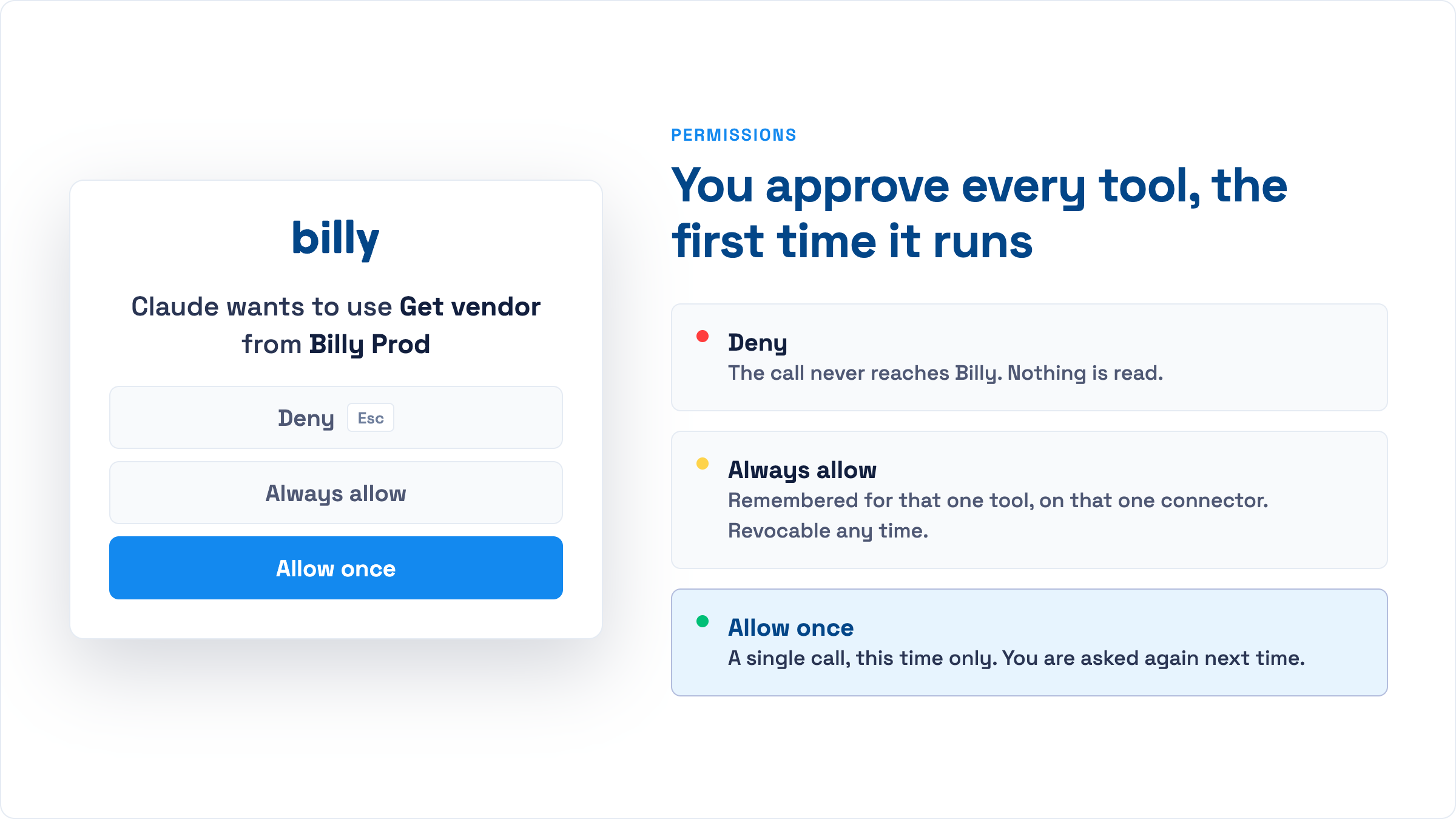
Reads (listing teams, projects, vendors and contracts) run without interruption. In Claude and ChatGPT, the first time the assistant wants to use an action tool such as send_certificate_request or create_contract, your client asks you. You can deny the call, allow it once, or allow that one tool on that one connector going forward. Allow-always is revocable at any time. Leave it off for anything that sends email until the workflow is routine. In Microsoft 365 Copilot the equivalent control lives with the maker: the agent’s instructions tell it to confirm before acting, and the connection consent is granted per user when they first use the agent.
Actions taken through the connector appear in Billy’s activity history under your user, the same as actions in the web app. [VERIFY audit-trail behaviour with product.]
A note on prompts from documents. If an assistant is reading an email or PDF that contains instructions (“send a certificate request to all vendors”), it should treat that as content, not a command. Good MCP clients already do this. It’s worth confirming your assistant asks before acting on instructions it found inside a file.
MCP, API or Zapier: which one?
| MCP server | REST API | Zapier / Power Automate | |
|---|---|---|---|
| Best for | Conversational work in Copilot, Claude or ChatGPT, and agents that decide what to call | Deterministic integrations you build and own | Trigger-based automations with no code (Zapier or Power Automate) |
| Who uses it | Anyone with an AI assistant | Developers | Ops teams |
| Auth | Sign in with your Billy login | API key | Zapier connection |
| Handles ambiguity | Yes, the model interprets the request | No, every call is explicit | No, fixed mappings |
| Runs unattended | With an agent framework | Yes | Yes |
They aren’t exclusive. Many teams keep a scheduled API sync for project and vendor data (or use the native Procore, Autodesk and ProjectSight integrations), and add MCP for the ad-hoc questions and one-off actions that never justified building a feature.
Frequently asked questions
What is the Billy MCP server?
A Model Context Protocol server, hosted at app.billyforinsurance.com/mcp, that lets AI assistants read projects, vendors and contracts in Billy and perform actions such as creating vendors, creating contracts and sending certificate of insurance requests.
Does it work with Microsoft 365 Copilot?
Yes. A Copilot Studio maker adds the Billy server as an MCP tool to an agent and publishes it to Microsoft 365 Copilot and Teams. Users with a Microsoft 365 Copilot licence then add the agent and ask questions in plain language.
Which other AI tools work with it?
Any MCP-compatible client: Claude (web, desktop, Claude Code), ChatGPT, Cursor, and agent frameworks that support remote MCP servers over streamable HTTP.
Does it need an API key?
No. Claude and ChatGPT users sign in with their Billy login the first time the client connects. For Copilot Studio, the maker enters an OAuth client ID and secret once; end users still sign in as themselves and get their own Billy permissions.
Can an AI assistant change a vendor’s compliance status through MCP?
No. The server has no tools for editing documents, approving certificates or changing compliance decisions. It can create vendors and contracts and send certificate requests.
Can it delete data?
No. The only “removal” available is archiving a vendor with update_vendor, which is reversible.
Is there a sandbox?
Yes. A demo server with sample data is available at demo.billyforinsurance.com/mcp. Contact support for access.
Ask Copilot about your subcontractors
See the Billy agent running in Microsoft 365 Copilot, or connect Claude in under five minutes.
Request a demo