The Connected Construction Compliance Workflow
Compliance isn’t a folder of documents. It’s a chain that runs from vendor prequalification through insurance review into your project platform and your ERP. Every break in that chain is where the loss happens.
- A connected compliance workflow links five stages that most construction companies run separately: vendor prequalification, insurance and document compliance, project management, accounting, and review.
- The expensive failure isn’t a missing document. It’s evaluating a vendor’s risk after the decision that created it.
- Most certificates are rejected for a small, predictable set of reasons: missing endorsements like
CG 20 10, limits below requirement, and expired policies. - Compliance status is an input to a payment decision. If AP can’t see it from inside the ERP, it isn’t doing its job.
- The practical first step isn’t replacing everything. It’s making prequalification and ongoing compliance the same record instead of two.
What is a connected construction compliance workflow?
A connected construction compliance workflow is one in which vendor prequalification, insurance and document compliance, project management, and accounting all operate on a single vendor record, so that a change in a subcontractor’s compliance status is visible to the project team and the AP team without anyone re-entering data or maintaining a separate tracker.
The disconnected version is more familiar. Prequalification lives in a form somewhere, or doesn’t happen at all. Certificates of insurance live in a shared drive and a spreadsheet. Project managers work in Procore or ProjectSight. Accounts payable works in Sage Intacct or Viewpoint Vista. And a compliance manager sits in the middle, moving information between all four by hand.
Nobody designs this. It accumulates. Each system was a reasonable decision on its own, and the gaps between them got filled by a person with a spreadsheet.
The chain, when it’s connected, looks like this:
Vendor
A subcontractor, supplier, or service provider enters your ecosystem, usually before anyone has decided whether to work with them.
Prequalification
You collect what you need to make a decision: entity information, insurance, licensing, safety history, capacity. You approve, decline, or hold them for a future project.
Insurance & compliance
Requirements get attached to the vendor and the project. Certificates, W-9s, licenses, bonds, warranty letters and lien waivers get collected, verified, and monitored for expiration.
Project management
Compliance status appears where project teams already work, so a superintendent can answer “is this sub cleared for Monday?” without messaging anyone.
Accounting / ERP
The same vendor exists once. AP can see compliance status at the moment a payment decision gets made, rather than consulting a hold list that was accurate last Tuesday.
Review
Documents get checked against requirements as they arrive, and the people who submitted them find out what’s wrong before your team does.
The rest of this piece walks that chain, one link at a time, and is specific about where the breaks usually are.
Why compliance problems get discovered too late
Compliance problems surface late because prequalification and document review happen after the award, not before it. That means the first time anyone examines a vendor’s insurance closely, that vendor is often already mobilized on site.
Here’s the sequence, and it’s worth walking through slowly because almost nobody in it does anything wrong.
A subcontractor is awarded a scope on Monday. They mobilize Tuesday, because the schedule says Tuesday. Someone requests a certificate of insurance on Wednesday. It arrives missing a waiver of subrogation. The compliance manager rejects it Friday and emails an explanation. The sub forwards that to their broker, who is out until Monday. A corrected certificate arrives the following Wednesday, still missing the additional insured endorsement. One more round. It clears on Friday.
Days 2 to 11: crew on site, coverage unverified.
Nine days of work performed by a vendor whose insurance nobody had actually confirmed. The compliance manager was fast. The subcontractor was responsive. The broker fixed it.
The industry’s usual answer to this is better tracking: faster reminders, tidier folders, a nicer dashboard. But you cannot track your way out of a process that evaluates risk after the decision that created it. The certificate isn’t the problem. The sequence is.
The most expensive compliance problem is the one you find in month three. The point of a connected workflow is to find it in week zero.
Where should subcontractor prequalification sit in the workflow?
Prequalification should sit before the award decision, and it should create the same vendor record that ongoing compliance uses, not a separate one. When prequalification and compliance are two systems, the same vendor gets onboarded twice, weeks apart, by two different teams.
This is the single most common structural break we see. Prequalification collects a vendor’s entity information, insurance summary, licensing and safety record. The vendor gets approved. Then compliance starts from scratch: requests the certificate, builds the requirements, creates the record. Same vendor, same data, entered twice.
The duplication is annoying. The deeper problem is conceptual: prequalification gets treated as a gate you pass once, rather than as the first frame of a record that keeps updating.
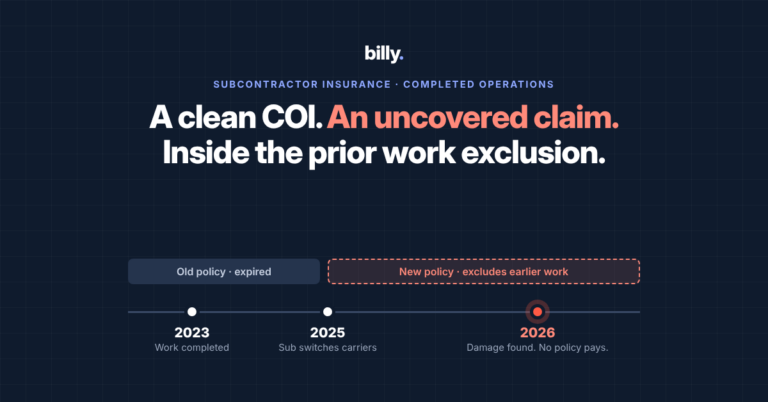
A vendor who qualified in March is not necessarily qualified in November. Their experience modification rate changed. A general liability policy renewed with a lower aggregate and nobody looked. They took on three more projects than their capacity supports. If the prequalification data lives in a different system from the ongoing monitoring, it stops being useful the day it’s completed.
What to collect at prequalification
- Identity. Legal entity, W-9, business licenses, trade classifications
- Insurance. Carriers, coverage types, limits, endorsements, expiration dates
- Safety. EMR, OSHA history, safety program documentation
- Capacity. Scope, geography, current workload, references
- Commercial. Signed master service agreements, bonds, and warranty documentation where the scope requires them
One practical detail matters more than it sounds: don’t make subcontractors create an account to give you this. Billy’s prequalification tool embeds a customizable form directly on your own website. A sub fills it in, uploads what you asked for, and submits, with no portal and no login to forget. Submissions trigger a notification and land in one place where your team can approve, decline, or save the vendor for a future project.
That last option is underrated. “Not right for this project” is not the same as “no,” and it shouldn’t live in a deleted email thread.
What actually gets a certificate of insurance rejected?
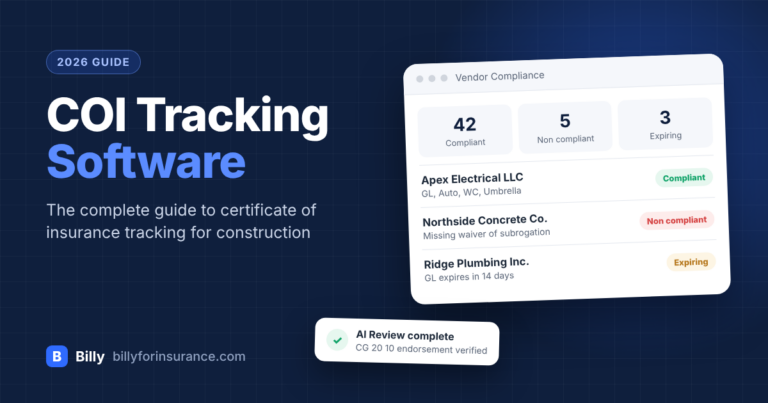
Most certificates of insurance are rejected for a small and predictable set of reasons: a missing additional insured endorsement, a missing waiver of subrogation, coverage that isn’t primary and non-contributory, limits below the contract requirement, an expired policy, or a missing line of coverage such as umbrella or workers’ compensation.
These six account for the large majority of rejections. They are also, notably, things a subcontractor’s office manager has no particular reason to understand, and it isn’t their job to.
| Issue | What it looks like | Why it matters |
|---|---|---|
CG 20 10CG 20 37 | Additional insured endorsement missing for ongoing or completed operations | Without it, your entity may not actually be covered under the sub’s policy for the work being performed |
| Waiver of subrogation | Not indicated on the certificate or not endorsed on the policy | The carrier retains the right to pursue your organization after paying a claim |
| Primary & non-contributory | Coverage is stated but not confirmed as primary | Your own policy may be pulled into a loss that should have sat entirely with the vendor |
| Limits below requirement | e.g. a $1M general aggregate against a $2M contractual requirement | A gap between the coverage you contracted for and the coverage that exists |
| Expired policy | Expiration date has passed, or falls inside the project window | The most common cause of coverage lapsing quietly mid-project |
| Missing umbrella or workers’ comp | A required line of coverage is simply absent | Statutory exposure, and in many jurisdictions a compliance failure in its own right |
The standard process for handling these is a correspondence loop: the sub submits something incomplete, you reject it, they ask what you meant, you explain, they forward it to their broker, it comes back still wrong. Each round is measured in days, and the cost is a compliance manager’s afternoon.
If you want a starting point for auditing where you stand today, the 2026 audit-ready checklist and the free COI tracking template are both a reasonable place to begin, whatever software you eventually land on.
Why compliance status belongs in your accounting workflow
Compliance status belongs in the accounting workflow because payment is a decision that gets made with or without it. If your AP team can’t see whether a vendor’s insurance is current from inside your ERP, they will either pay without knowing or rely on a compliance hold list that goes stale within days.
Ask a construction finance leader whether AP can see compliance status at the moment they approve an invoice, and the answer is almost always some version of no, followed immediately by a description of the workaround. Usually a hold list. A spreadsheet, circulated weekly, already out of date when it lands.
So there are three sources of truth about the same vendor. The project platform knows who is working. The ERP knows who is getting paid. A spreadsheet knows who is compliant. When those disagree, and they always eventually disagree, someone gets paid against a lapsed policy, and the conversation afterward is about the AP clerk who released it. It shouldn’t be. That person was never given the information.
Compliance status is not a compliance department output. It’s an input to a payment decision.
Billy connects to the accounting and ERP systems construction companies actually run: Sage Intacct, Viewpoint Vista, Sage 300 CRE, Oracle JD Edwards, and Acumatica. If AP compliance holds are a specific pain in your organization, we wrote about that pattern in more depth in Viewpoint Vista COI tracking: stop AP compliance holds.
Why compliance shouldn’t live in a spreadsheet next to Procore
Compliance should be visible inside the project management platform your teams already use, because the moment you maintain a separate compliance tracker you have created a second source of truth, and it begins drifting from the first one the same afternoon.
Most compliance teams end up with a file named something close to Vendor_Compliance_TRACKER_v7_FINAL.xlsx. The spreadsheet isn’t really the villain. The problem is structural: a project manager who needs to know whether a subcontractor is cleared for Monday is not going to open a compliance tool, and shouldn’t have to. So they message the compliance manager instead, six times a day.
That’s not a compliance problem. It’s a visibility problem, and the fix is to put the answer where the question gets asked.
Billy connects to the platforms project teams work in: Procore, including a side panel integration so compliance appears without leaving the project, plus Trimble ProjectSight, Autodesk Construction Cloud, CMiC, and DocuSign for execution.
If you’re on ProjectSight specifically, we’ve written a full workflow walkthrough: how to track COIs in ProjectSight, and a comparison of the best ProjectSight integrations for compliance.
What does AI actually change about COI review?
The useful thing AI changes about certificate review is not that it reads documents faster. It’s where the correction happens: if a vendor is told which endorsement is missing, why it’s required, and how to fix it at the moment they upload, your compliance team never receives a bad certificate in the first place.
Every compliance product now claims to read documents. That’s table stakes and it isn’t the interesting part. The interesting part is the position of the review in the workflow.
Under the old sequence, review happens after submission and inside your team. A person opens the PDF, checks it against requirements, finds a problem, and writes an email explaining it. Under the new sequence, review happens at submission and faces the vendor. The subcontractor uploads a certificate, gets told immediately that the CG 20 10 is missing and what to ask their broker for, and fixes it before anyone on your team is involved.
That’s a workflow change, not a model capability. It’s also the difference between a compliance team that processes documents and one that manages exceptions.
Billy’s AI Review Assistant works this way. It scans an uploaded certificate, compares it against the project’s requirements, and shows the vendor what needs to be corrected and why, flagging the issues in the table above, among others. Your team can also ask it questions directly: what a coverage term means, whether a particular policy satisfies a given project’s requirements, and so on. That last capability matters most for the newest person on a compliance team, who otherwise asks a senior colleague the same forty questions in their first month.
How to start connecting a compliance workflow you already have
You don’t have to replace everything at once. The highest-value first move is making prequalification and ongoing compliance the same record, because that single change eliminates duplicate vendor onboarding and makes every downstream connection possible.
A realistic sequence, in the order we’d suggest:
- Write down your actual requirements. Not the ones in the contract template. The ones your team enforces. Most organizations discover during this exercise that different project managers enforce different things.
- Fix the intake. Move prequalification to a form vendors can complete without an account, and make its output the vendor record you’ll keep using. Stop re-onboarding approved vendors into a second system.
- Move review to the point of submission. Whatever tooling you use, the goal is that vendors learn a document is wrong before your team does.
- Connect one downstream system, not four. Pick whichever hurts most. Usually the ERP if AP holds are your pain, the project platform if interruptions are. Connect it, live with it for a quarter, then do the next one.
- Retire the tracker last. The spreadsheet disappears when nobody needs it, not because you deleted it. If people still open it after step 4, something upstream isn’t finished.
If you’d like a broader primer on the requirements themselves rather than the workflow, start with construction insurance compliance, or COI tracking for general contractors if you want the general contractor’s version specifically.
Frequently asked questions
What is construction compliance software?
Construction compliance software collects, verifies, and monitors the documents that prove a vendor is qualified to work on a project: certificates of insurance, W-9s, business licenses, bonds, warranty letters, master service agreements, and lien waivers. The more capable platforms also connect that status to project management and accounting systems so it’s visible where work and payment decisions get made, rather than sitting in a separate tracker.
What’s the difference between COI tracking and vendor compliance?
COI tracking is a subset of vendor compliance. Tracking certificates of insurance means collecting them, checking them against requirements, and monitoring expiration. Vendor compliance is broader: it covers every document and qualification a vendor needs to work with you, including tax forms, licensing, bonding, safety records, and signed agreements. It also starts at prequalification rather than at the certificate.
When should subcontractor prequalification happen?
Before the award decision. The purpose of prequalification is to give you the information you need to decide whether to work with a vendor, which means it has to happen while saying no is still cheap. Prequalifying after an award converts the process into paperwork. You are documenting a risk you have already accepted rather than evaluating one.
Why do certificates of insurance get rejected so often?
Because the requirements are technical and the person producing the certificate usually isn’t an insurance specialist. The most common causes are a missing additional insured endorsement (CG 20 10 or CG 20 37), a missing waiver of subrogation, coverage that isn’t primary and non-contributory, limits below the contract requirement, an expired policy, or a missing line of coverage such as umbrella or workers’ compensation.
Can compliance status be visible inside Procore?
Yes. Billy integrates with Procore, including a side panel integration that surfaces compliance information inside the Procore workflow so project teams can check a vendor’s status without opening a separate compliance tool. Billy also integrates with Trimble ProjectSight, Autodesk Construction Cloud, and CMiC.
Does compliance software connect to construction accounting systems?
Billy connects to Sage Intacct, Viewpoint Vista, Sage 300 CRE, Oracle JD Edwards, and Acumatica. The purpose of connecting compliance to the ERP is to give accounts payable visibility into vendor compliance status where payment decisions are actually made, and to avoid setting the same vendor up twice in two systems.
Do subcontractors need a login to submit documents?
Not with Billy. Vendors and their brokers upload documents through a link without creating an account, and prequalification forms can be embedded directly on your own website. This matters more than it sounds. A required login is one of the most reliable ways to slow document collection down, because the person submitting is usually doing it once every twelve months and will have forgotten the password.
We’re managing compliance in spreadsheets. Is it too early for software?
Most companies that move to a compliance platform came from spreadsheets, and spreadsheets work fine at low vendor counts. The signal that you’ve outgrown them is usually not volume but interruption: if your compliance manager spends a meaningful part of the week answering “is this sub cleared?” and reconciling a tracker against two other systems, the spreadsheet has stopped being the source of truth and started being a second one.
See the whole chain, connected
Thirty minutes, on your vendor list and your project platform, not a demo environment. We’ll show you where your workflow breaks and what it would take to close it.
Book a demoCo-founder of Billy, a construction compliance platform used by general contractors, developers, homebuilders and owners to manage certificates of insurance, prequalification, and vendor documentation. Previously in construction product management, where insurance and compliance consumed the time that should have gone to building.