Subcontractor Prequalification: A Complete Vendor Risk Workflow Inside Procore
From the moment a vendor applies to the day they get paid: how to run prequalification, bidding, and compliance in one place instead of five.

If you’re a general contractor, you already know the uncomfortable truth about subcontractor prequalification: most teams don’t really have a process. They have pieces of one. A prequalification form lives in a shared drive, financial reviews happen over email, certificates of insurance get tracked in a spreadsheet, and the final “are they actually compliant?” check happens somewhere between contract award and the first pay application, if it happens at all.
That fragmentation isn’t just annoying. It’s how uninsured trades end up on your jobsite, how risk transfer fails, and how one claim can wipe out the margin on an entire project.
This guide covers what subcontractor prequalification should look like end to end, why the traditional email-and-spreadsheet approach breaks down, and how to run the entire vendor risk lifecycle, from prequalification through compliance monitoring, directly inside Procore.
What Is Subcontractor Prequalification?
Subcontractor prequalification (also called vendor prequalification) is the process of vetting a trade partner before they’re invited to bid or awarded a contract. A thorough prequalification evaluates:
- Financial stability: revenue, backlog, credit, and bonding capacity, so you know the sub can actually carry the work
- Safety record: EMR, OSHA recordables, and safety programs
- Workforce capacity: whether they have the crews to staff your project alongside existing commitments
- Insurance and bonding: current coverage, limits, and the ability to meet your project requirements
- References and past performance: how they’ve actually delivered for other GCs
The goal is simple: only vetted, financially sound, properly insured subcontractors make it onto your bid lists and your jobsites.
Why Prequalification Matters More Than Ever
Owners and their insurers are increasingly asking general contractors a direct question: “Do you prequalify your trades?” It’s become a standard part of how owners evaluate risk transfer. They want assurance that every trade partner on the project has been vetted for safety and financial stability before work begins.
For regional and mid-market GCs, this creates real pressure. Enterprise contractors have dedicated risk departments and expensive prequalification platforms. Smaller teams are often trying to answer the same owner questions with an intake form, an inbox, and a lot of manual follow-up.
Prequalification also protects you directly. Financial vetting catches subs who are overextended before they walk off your job. Ongoing COI tracking closes the risk-transfer gap when a sub’s coverage falls short. And when prequalified vendors are already vetted and searchable, project teams build bid lists in minutes instead of chasing paperwork.
Where the Traditional Process Breaks Down
Most vendor risk programs fail not because the standards are wrong, but because the workflow is fragmented:
- Prequalification happens over email. Forms go out, PDFs come back, and someone manually reviews and files them. Follow-ups fall through the cracks.
- Vendors are manually added to Procore. There’s no connection between “this sub passed prequalification” and “this sub is in our project directory,” so unvetted vendors slip onto bid lists.
- Compliance lives in a separate system. COI tracking happens in a spreadsheet or a standalone tool project teams never open.
- Requalification doesn’t happen. A sub who was financially healthy two years ago may not be today. Without a schedule, your data goes stale.
- The field has no visibility. Superintendents can’t easily confirm whether the trade showing up Monday morning is actually compliant.
Each handoff between systems is a place where risk leaks in. The fix isn’t a better spreadsheet. It’s putting the entire lifecycle in one place: the place your teams already work.
The Complete Vendor Risk Workflow, Inside Procore
Billy’s integration with Procore now covers the full subcontractor lifecycle. Here’s what each stage looks like:
Qualify
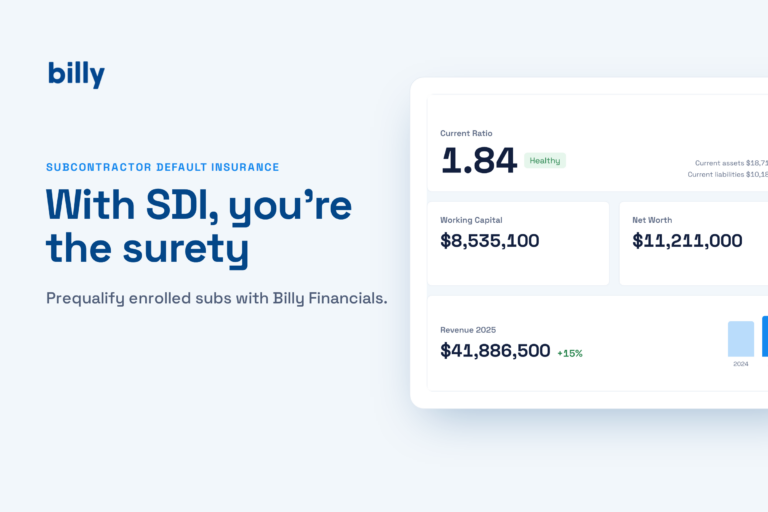
Billy sends prequalification requests at scale and collects structured data on financials, workforce capacity, safety records, bonding, and references, with no more chasing PDFs over email. Approved vendors and their contacts sync automatically into your Procore directory, and requalification runs on a set schedule so your data never goes stale.
Discover
When it’s time to build a bid list, project teams search company-prequalified vendors directly in Procore, confirm their status, and add vetted trades to bid lists from a single location. Preconstruction stops guessing about who’s been vetted.
Execute
Prequalified vendors can be added to projects and awarded contracts with confidence. The moment commitments are issued, Billy begins tracking project-specific compliance requirements: insurance limits, endorsements, and coverage tied to that contract.
Monitor
Teams view real-time vendor compliance directly within Procore. Field teams can verify a sub’s status before they mobilize, while the office maintains control over risk, helping ensure only properly insured contractors are ever active on the jobsite.
“It’s a huge advantage for us as a general contractor to confidently say every trade partner has gone through our prequalification process. More and more clients are asking, ‘Do you prequalify your trades?'”
Kelsey Duggan, Risk Manager, Gardner BuildersBuilt for Regional and Mid-Market General Contractors
This workflow was designed specifically for regional builders: the teams most likely to be running prequalification over email while owners demand enterprise-grade rigor. Instead of bolting a standalone prequalification platform onto your stack, Billy connects prequalification and compliance data directly into Procore, where your project teams already work every day. And because vendor risk doesn’t stop at the project directory, Billy also syncs compliance status into the accounting systems that control payment, including Viewpoint Vista, Sage Intacct, and Sage 300, so a non-compliant sub never slips through to a check run.
Frequently Asked Questions
What’s the difference between prequalification and COI tracking?
Prequalification vets a subcontractor before award, covering financials, safety, capacity, and bonding. COI tracking verifies insurance compliance after award and throughout the project. A complete vendor risk program needs both, connected.
Can I prequalify subcontractors directly in Procore?
Procore doesn’t handle prequalification natively, but integrated tools like Billy sync prequalification status into the Procore directory, so vetted vendors are searchable in Procore’s bidding tools and compliance follows them into active projects.
How often should subcontractors be requalified?
Annually is the common standard, since financials, safety records, and insurance programs change. Automated, scheduled requalification removes the burden of tracking renewal dates manually.
What should a subcontractor prequalification form include?
At minimum: company and ownership information, financial statements or key financial indicators, bonding capacity, EMR and OSHA history, current insurance coverage, workforce size, current backlog, and project references.
Get Prequalification and Compliance in One Place
Billy’s expanded Procore integration brings the full lifecycle (qualify, discover, execute, monitor) into the platform your teams already use every day. Available now to all Billy customers using Procore and to new Procore users of Billy.
Book a demo Find Billy on the Procore Marketplace