Billy vs SubDoc (2026): Which COI Tracking Platform Fits Your Construction Team?
Quick answer: Billy vs SubDoc comes down to scope. SubDoc is a new, self-service COI tracker with low published pricing, built for small teams tracking a handful of subs. Billy is a construction compliance platform used by more than 1,000 general contractors: AI COI and endorsement review, optional managed review by CRIS-certified experts, subcontractor prequalification, certified payroll, and native Procore, Autodesk and Trimble integrations.
If you’re replacing spreadsheets for a few subs and want to sign up today, SubDoc is a reasonable start. If you run multiple projects, work in Procore, Autodesk Construction Cloud or Trimble, or need compliance beyond the certificate itself, Billy is built for that job.
SubDoc recently published its own “SubDoc vs Billy” page. Some of what it says about Billy is out of date, so this guide sets the record straight and gives an honest view of where each tool fits.
Billy vs SubDoc at a glance
| Billy | SubDoc | |
|---|---|---|
| Built for | Construction GCs, owners and developers with multiple projects | Small GCs and property managers starting out |
| Core focus | COI, endorsement, W-9 and license compliance, prequalification, certified payroll | COI tracking and expiration alerts |
| AI COI review | AI Review Assistant on every plan: checks limits, expirations, AI/WoS/P&NC language and CG 20 10 / CG 20 37 endorsements, and tells vendors how to fix gaps | AI OCR extraction of ACORD 25 fields; endorsement indicators flagged for your reviewer |
| Human expert review | Optional Managed plan: CRIS-certified team reviews every certificate and endorsement | Not offered |
| Subcontractor and broker upload | Direct upload link, no login required | Passwordless upload link |
| Cost to subcontractors | $0 | $0 |
| Subcontractor prequalification | Built in: custom forms, EMR, bonding capacity, safety records, diversity certs | Not offered |
| Certified payroll | Yes | Not offered |
| Construction PM integrations | Procore (two-way sync, Side Panel, ProcorePay), Autodesk, Trimble ProjectSight | Not listed |
| ERP / accounting | Sage 300, Sage Intacct, Viewpoint Vista, CMiC, JD Edwards, Acumatica, DocuSign | CSV payment-hold exports for QuickBooks, Sage, Yardi |
| Pricing | Quote-based by program size; free trial available | Published: free for up to 3 subs, Pro from $20/month |
| Track record | 1,000+ GCs; 4.7/5 on Software Advice (31 reviews) | Launched August 2026 |
| Best for | Teams that need compliance enforced across projects and systems | Very small teams that want a self-serve tracker today |
What is Billy?
Billy is a construction-native compliance platform that collects, verifies and tracks certificates of insurance, endorsements, W-9s, business licenses and prequalification data for every vendor on every project. More than 1,000 general contractors, including ENR top-20 builders, use Billy to stop managing risk in Excel.
GCs can run Billy self-service, hand certificate review to Billy’s Managed Services team, or mix both across vendor groups.
Watch: how Billy works

Book a demo: see your own subs’ certificates reviewed live. Request a demo →
What is SubDoc?
SubDoc is a self-service COI tracking tool that launched in August 2026. It extracts ACORD 25 fields with OCR, sends subs and brokers a passwordless upload link, emails renewal reminders, and exports payment-hold lists as CSV files for QuickBooks, Sage and Yardi.
Its headline is price: a free plan for up to 3 subcontractors and a Pro tier from $20 a month, with no sales call. For a small contractor with a short vendor list, that is a fair offer.
SubDoc does not offer prequalification, certified payroll, human expert review, or integrations with construction project-management platforms such as Procore, Autodesk or Trimble.
Key differences between Billy and SubDoc
1. AI that reviews compliance, not just reads the form
Both tools use AI to pull data off an ACORD 25, so nobody retypes policy numbers. The difference is what happens next. SubDoc extracts the fields and flags endorsement indicators for your reviewer to check.
Billy’s AI Review Assistant compares each certificate against the project’s actual requirements and usually returns a result in seconds. It flags wrong limits, expired policies, missing additional insured language, umbrella and workers’ comp gaps, and missing CG 20 10, CG 20 37, waiver of subrogation and primary/non-contributory endorsements. Vendors get plain-English fix instructions before the COI ever reaches your project team, and your staff can chat with the assistant to interpret coverage.

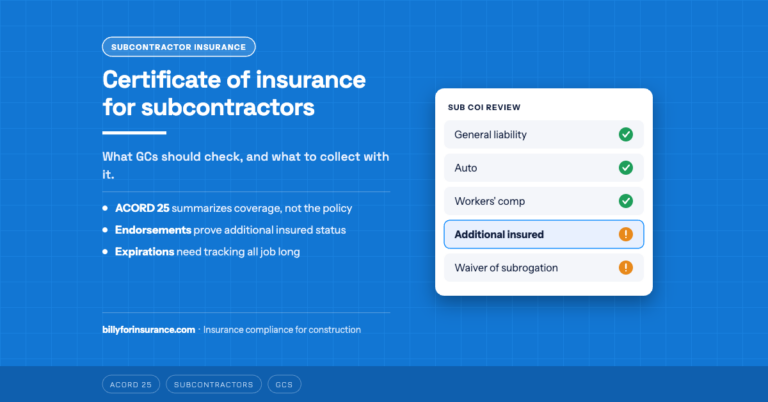
An ACORD 25 is a summary, not proof of coverage, so endorsement-level review is where most claim denials are prevented. Our guide on COI vs endorsement explains why, and AI COI review vs human review covers what AI catches and what it misses.
2. Managed services by CRIS-certified insurance experts
SubDoc is software only: your team still decides whether every endorsement is right. Billy’s Managed plan adds a Certificate Management Team of CRIS-certified insurance professionals who review each certificate and endorsement and chase brokers for corrections. Many GCs use self-service for routine vendors and managed review for high-risk trades.
3. Vendor prequalification built in
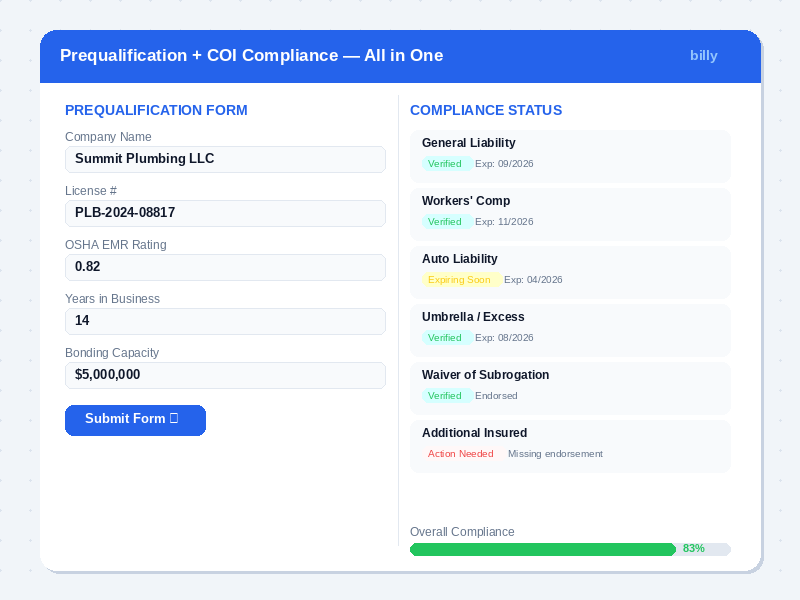
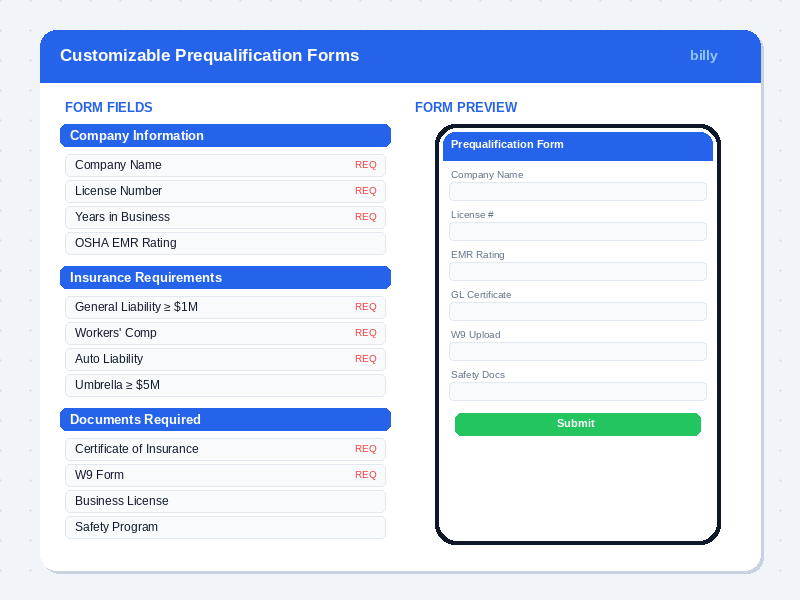
SubDoc tracks insurance only. With Billy, you can prequalify subcontractors in the same place you track their COIs, using custom forms for EMR thresholds, bonding capacity, safety records, trade scope, diversity certifications and references. Subs pay nothing to prequalify, unlike networks that charge subcontractors annual fees (see Billy vs ISNetworld vs Avetta).
4. Certified payroll
On prevailing-wage and public work, a missing or inaccurate certified payroll report can hold up payment just like an expired COI. Billy collects and tracks subcontractor certified payroll alongside insurance and prequalification, so one vendor record shows whether a sub is clear to work and clear to pay. SubDoc does not cover certified payroll.
5. Native Procore, Autodesk and Trimble integrations
This is the biggest practical gap. SubDoc does not list integrations with construction project-management platforms, and its payment holds work by exporting a CSV for someone to import into accounting.
Billy connects directly to the tools GCs already run projects in:
- Procore: two-way sync that sets up in minutes, the Procore Side Panel so PMs see compliance without leaving Procore, and compliance checks inside ProcorePay workflows
- Autodesk Construction Cloud: Billy for Autodesk syncs projects and vendors
- Trimble: ProjectSight COI tracking and Viewpoint Vista
- ERP: Sage 300, Sage Intacct, CMiC, JD Edwards, Acumatica, plus DocuSign. See all integrations

See Billy inside your Procore, Autodesk or Trimble account. Book a demo →
6. Subcontractor experience: no logins on either side
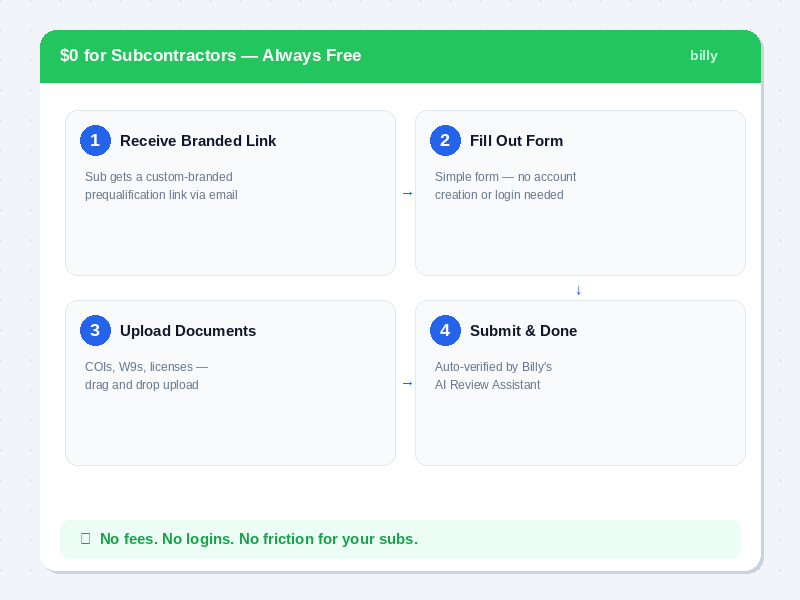
SubDoc’s comparison says Billy requires a vendor portal login. It doesn’t. Subs and their brokers upload documents through a direct link with no account or password, and pay nothing. Subs who want more can use Billy’s free Insurance Wallet, W-9 generator and lien waiver forms.
7. Pricing and getting started
SubDoc publishes its prices; Billy quotes by program size because a 10-sub builder and a 2,000-vendor GC need different setups. You don’t need an annual contract to look around: you can try Billy free or book a demo, and onboarding includes a kickoff, a review of your insurance requirements, integration setup and team training.
Where SubDoc is the better fit
SubDoc makes sense if:
- You track fewer than a handful of subs and the free plan covers you
- You want to sign up with a card today and never talk to anyone
- You run your books in QuickBooks and are happy to import a CSV of payment holds
- You don’t use Procore, Autodesk or Trimble, and don’t need prequalification or certified payroll
As your vendor list and project count grow, the gaps show up: endorsements still need a human eye, PMs work in a separate system from compliance, and prequal and payroll documents live somewhere else. That’s usually when teams move to a platform like Billy.
Billy or SubDoc: which should you choose?
Choose Billy if you manage subs across multiple projects; work in Procore, Autodesk Construction Cloud, Trimble ProjectSight or Viewpoint Vista; need endorsement-level review by AI, by experts, or both; or want prequalification, certified payroll and COI compliance in one vendor record.
Choose SubDoc if you’re a very small team with a short vendor list, a QuickBooks back office, and no need for prequal, payroll compliance or PM-platform integrations.
Still comparing? Read Billy vs Jones vs TrustLayer vs myCOI, our COI tracking software buyer’s guide, or grab the free 2026 audit-ready checklist.
Stop chasing COIs. Start enforcing compliance.
See how Billy reviews your subs’ certificates, prequalifies vendors and syncs with Procore, Autodesk or Trimble, in a walkthrough built around your projects.
Book a demo See Billy for GCsFrequently asked questions
Is SubDoc a good alternative to Billy?
For very small teams, yes. SubDoc is a low-cost, self-serve COI tracker. It doesn’t offer prequalification, certified payroll, managed expert review or Procore, Autodesk and Trimble integrations, so most multi-project GCs will outgrow it.
Does Billy require subcontractors to create a login?
No. Subcontractors and their brokers upload COIs and endorsements through a direct link with no account, and Billy never charges subs a fee.
Does Billy check endorsements like CG 20 10, CG 20 37 and waiver of subrogation?
Yes. Billy’s AI Review Assistant checks additional insured, waiver of subrogation and primary/non-contributory endorsements against each project’s requirements on every plan. On the Managed plan, CRIS-certified experts review them as well.
How do Billy and SubDoc handle payment holds?
SubDoc exports a CSV of non-compliant vendors for you to import into QuickBooks, Sage or Yardi. Billy syncs compliance status directly with Procore (including ProcorePay) and construction ERPs such as Sage 300, Sage Intacct, Viewpoint Vista, CMiC, JD Edwards and Acumatica.
Does Billy integrate with Procore, Autodesk and Trimble?
Yes. Billy has a two-way Procore integration and Procore Side Panel, an Autodesk Construction Cloud integration, and Trimble ProjectSight and Viewpoint Vista integrations.
How much does Billy cost compared with SubDoc?
SubDoc publishes a free plan for up to 3 subs and paid plans from $20 a month. Billy is quote-based depending on project volume and whether you choose self-service, managed services or both. You can try Billy free or book a demo for a quote.
Can I switch from SubDoc (or spreadsheets) to Billy?
Yes. Billy imports your vendor list, then automatically requests current COIs from every vendor. Onboarding includes a requirements review, integration setup and team training. Talk to our team.