You already know the drill. A subcontractor sends over their certificate. You download it, check it against the project requirements, manually enter the data into Procore, upload a copy to SharePoint, update the spreadsheet, and mark it done. Then the next one arrives. And the one after that.
If your company runs projects in Procore, you have probably tried to make its built-in insurance tracking work. And it does work, up to a point. But at some point, the spreadsheet gets too long, the email threads get too buried, and the stack of certificates to review never actually gets smaller.
This is not a Procore problem. Procore is a construction management platform. It was never designed to do what you do every single day. The gap between where your projects live and where your compliance documentation lives is real, and it creates real risk for your company and real stress for the person managing it.
This guide is for the contract administrators, compliance coordinators, and project admins who are living inside that gap right now. We will walk through exactly what Procore does and does not do for COI tracking, where it tends to break down under pressure, and how teams who have been in your shoes are finally getting ahead of it. We will also show you how Billy connects with Procore, Autodesk, Sage 300, Sage Intacct, CMiC, and the other tools already running in your stack.
What Procore Actually Does for COI Tracking
Procore does have native insurance functionality, and it is worth understanding clearly before deciding what else you need.
Company-Level Insurance Records
Inside Procore’s Company Directory, you can store insurance records for each vendor including general liability, workers’ comp, auto, and umbrella coverage. You log the policy number, carrier name, effective date, expiration date, and attach the certificate as a PDF. When a policy is approaching expiration, Procore can send automated notifications to your designated insurance manager and the vendor’s primary contact.
Project-Level Insurance Records
When a specific job requires higher limits or owner-mandated endorsements that differ from your standard template, Procore lets you track insurance at the project level too. This is helpful when you are managing requirements that change from one contract to the next.
Compliance Status in Procore Pay
If your company uses Procore Pay, there is a Compliance tab inside each commitment contract where your team can mark a vendor as Compliant, Not Compliant, or Not Required before a payment gets released. It is a manual toggle, but it creates a visible checkpoint in the payment workflow.
On paper, that sounds like everything you need. In the real world, it is where the stress usually starts.
Where Procore’s COI Tracking Breaks Down
The issue is not that Procore does anything wrong. It is that the workflow around COIs was never designed to be managed inside a project management tool. We have heard this same story from compliance teams across the country, and the patterns show up every time. If you want to see how others have handled it, our post on automating COI tracking in Procore is a good starting point.
“If one COI is missing, everything stops. Subs don’t get paid, and I’m the one everyone calls.”
Contract Administrator, General Contractor
COIs Don’t Arrive Through Procore
Your subcontractors are not uploading certificates into Procore. They are emailing them. Their brokers are emailing them. Sometimes they are faxing them. Someone on your team has to catch each one, review it, and manually key the data into Procore’s directory before anything gets updated.
That manual handoff is where compliance starts slipping. The person doing the data entry is usually not your risk manager. They are your front-office coordinator who is also fielding phone calls, processing invoices, and trying to onboard three new subs this week. When the inbox is full and the day is short, something gets entered late, a date gets transposed, and a policy that should have flagged weeks ago looks fine in the system.
Procore Tracks Dates. It Does Not Review Coverage.
Procore can tell you a policy expires on March 15th. What it cannot tell you is whether that policy actually protects your company the way your contract requires.
Is your company listed as an Additional Insured, or just as a Certificate Holder? Is there a CG 20 10 endorsement covering ongoing operations? A CG 20 37 for completed operations after the project closes? Is the coverage primary and noncontributory, or will it trigger your own policy first in a claim? Does the waiver of subrogation actually exist on the underlying policy, or is it just checked on the ACORD form without a real endorsement behind it?
These are not edge cases. They are the difference between a claim that gets covered and a claim that gets denied. You deserve a system that actually checks these things, not just stores a PDF. We break down the full difference in our guide to Certificate Holder vs. Additional Insured.
The Compliance Toggle Is Only as Accurate as the Last Person Who Touched It
In Procore Pay, the Compliant or Not Compliant status on a commitment is set manually by whoever last reviewed the file. There is no automatic connection between the insurance record in the Directory and the compliance flag in the Commitment. If the record gets updated but nobody flips the toggle, your dashboard says one thing and reality says another.
At ten subcontractors, you can manage that. At fifty subs spread across eight active projects, keeping those two things in sync becomes its own full-time job on top of everything else you are already carrying.
There Is No System for Chasing Renewals
Procore will send an expiration notification. After that, you are on your own. There is no automated follow-up sequence that contacts the sub, then the broker, then escalates if nothing comes in. There is no sub-facing portal where subs can upload their own renewals without logging a ticket or sending an email. Every follow-up is a manual task that lands back on your desk.
Endorsements Are Invisible Until Something Goes Wrong
The most dangerous compliance gap is not an expired policy you catch late. It is an endorsement that was never there in the first place.
A certificate can state “Additional Insured per attached endorsement” and there is no endorsement on the actual policy. The ACORD form is explicit about this: certificates do not amend, extend, or alter the coverage of the underlying policy. If the endorsement is missing from the policy itself, you have no protection regardless of what the certificate says. Procore has no way to catch this. It stores whatever data you give it.
For the full picture on which endorsements matter most and what to look for, see our guide: Insurance Endorsements Explained: CG 20 10, CG 20 37, Primary and Noncontributory.
The most dangerous compliance gap is not an expired policy. It is an endorsement that was never there, and you only find out when a claim gets denied.
What This Looks Like When It Goes Wrong
Here is a scenario that plays out at GC firms on a regular basis.
A sub’s general liability policy renews in January. They request a new certificate from their broker. The broker issues the ACORD 25 and the sub forwards it to your front office. Someone uploads it to Procore, updates the expiration date, and marks the commitment Compliant.
What nobody catches: the new policy was issued by a different carrier rated B+ by AM Best, but your subcontract required an A-rated carrier. The Additional Insured endorsement on the old policy was a scheduled form that listed your company by name. The new policy uses a blanket endorsement that only triggers “when required by written contract,” and nobody can locate the signed subcontract because it was executed over email six months ago.
Your dashboard says Compliant. Your actual exposure says otherwise.
A green status in your dashboard is only as reliable as the review that happened behind it. If that review was a quick visual scan of the ACORD form, your company may be less protected than you think.
How Teams That Have Been There Are Fixing It
The contract admins and compliance coordinators who have moved past this are not working harder. They have removed the manual steps that were creating risk in the first place. Here is how they think about it.
-
Stop using email as the intake channel Give each sub a dedicated upload link tied directly to their vendor record. The sub or their broker uploads the certificate and endorsements through a simple portal with no login required. Nothing gets lost in your inbox. Nothing requires manual forwarding. The document goes straight into a system that can actually review it.
-
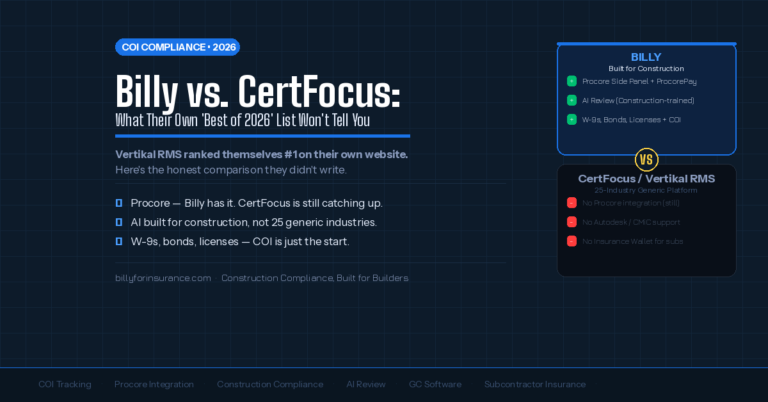
Use AI review that actually reads the certificate, not just scans it OCR-based tools extract text from a document. Billy’s AI Review Assistant interprets what that text means against your project-specific requirements. It checks coverage types, limits, carrier ratings, endorsement language, and the description-of-operations section that most automated tools cannot touch. When something is missing or wrong, it flags it in plain language so you know exactly what to go back and ask for.
-
Let the system do the follow-up Non-compliant subs do not get compliant because you sent one email. They get compliant because there is a system sending reminders on a schedule until the right documentation arrives. Automated follow-up via email and SMS takes that task off your plate entirely and keeps compliance moving without you having to chase it manually.
-
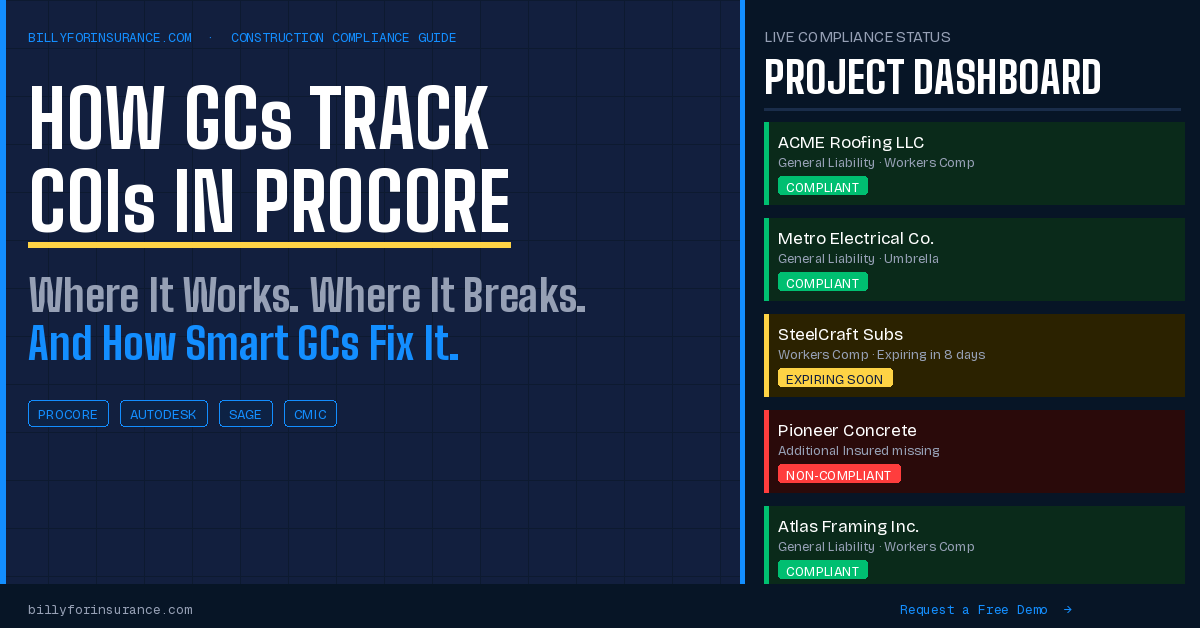
Push compliance status back into Procore automatically Your project managers should not have to leave Procore to see whether a vendor is compliant. Compliance status should flow back into Procore in real time so the people making decisions about site access and payment approvals always have current information where they already work.
-
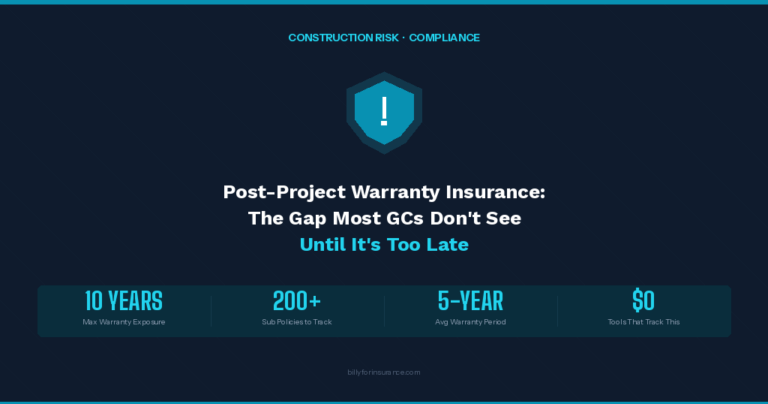
Keep tracking after the project closes GCs carry warranty obligations for five to ten years after a project wraps. During that entire window, every subcontractor’s completed operations coverage needs to stay active. Most tracking stops at closeout, leaving policies unmonitored on a spreadsheet that nobody is looking at. The right system keeps watching through the warranty tail, not just through construction.
Billy’s Integrations: Working With the Tools You Already Use
One of the first things compliance teams ask when they look at Billy is whether it will require them to learn a completely new system and abandon everything already in place. The answer is no. Billy was built to sit inside your existing workflow, not replace it.
Billy integrates with the platforms that construction teams already run every day:
The Procore integration is two-way. When a new vendor gets added in Procore, Billy pulls that data automatically. When Billy completes a certificate review and marks a vendor compliant, that status flows back into Procore in real time. Your project managers see what they need without ever leaving Procore, and you stop being the person manually keeping two systems in sync.
If your company runs Autodesk Construction Cloud, Billy connects there too. Same with CMiC, Sage 300, Sage Intacct, and the other ERPs. Data flows in from wherever your projects and vendors live, compliance tracking happens in Billy, and status flows back out into whichever system your team works in. The double-entry problem goes away.
For a broader look at what this integration layer makes possible, read our post on how Procore integrations are transforming construction compliance and risk management.
The Procore and Billy Workflow From Start to Finish
Here is what the day-to-day looks like when Procore and Billy are working together.
-
A project is created in Procore Vendor data automatically syncs to Billy. Your compliance requirements for that project are already in place. No manual data entry. No copy-paste from one system to the other.
-
Billy sends each sub a direct upload link No login required on the sub’s side. The sub or their broker submits the COI and endorsements through a simple branded portal. No email threads. No chasing down attachments.
-
Billy’s AI Review Assistant reviews the certificate It checks coverage types, limits, endorsement language, carrier ratings, and the full description-of-operations field against your project-specific insurance schedule. If something is missing or does not meet requirements, it flags the specific issue in plain language so you know exactly what to request.
-
Automated follow-up handles the back-and-forth When a deficiency is found, Billy sends follow-up reminders to the sub on your behalf until the correct documentation comes in. You are informed when it is resolved. You are no longer the one making the calls.
-
Compliance status updates in Procore in real time Project managers and executives see current compliance status inside Procore without switching tools. No separate dashboard. No manual status updates from you.
-
Expiration tracking runs automatically through the life of the project and beyond Renewal requests go out 60 or more days before a policy expires. When the project closes, Billy continues tracking completed operations coverage through the warranty period. Nothing falls off the radar.
Your front office stops chasing certificates. Your project managers stop calling you for compliance updates. Your risk team has a real-time view of every vendor’s status. And when the auditors show up, your documentation is already in order. To see how other GCs have put this into practice, browse the Billy case studies.
Frequently Asked Questions
Can I just use Procore’s built-in insurance tracking?
You can, and for smaller operations managing under 20 to 30 active subs it may be enough. The limitations show up when volume increases: manual data entry, no automated follow-up for renewals, no endorsement review, and a compliance toggle that only reflects what someone last updated by hand. When the list of subs grows and the projects pile up, that manual layer becomes a liability.
Does Billy replace Procore?
No. Billy integrates with Procore and is designed to work alongside it. Your project managers keep using Procore the same way they always have. Billy handles the compliance layer: certificate collection, AI review, vendor follow-up, and status reporting. That data flows back into Procore automatically so your team always has current information where they already work.
What is the difference between a Certificate Holder and an Additional Insured?
A Certificate Holder receives a copy of the COI for informational purposes and gets notified of cancellations. That is it. It provides no coverage protection whatsoever. An Additional Insured is actually added to the policy and can make claims under it. Most GC subcontracts require Additional Insured status. If your company is only listed as a Certificate Holder, you are not covered the way you think you are. We explain the full difference in our post: Certificate Holder vs. Additional Insured: What GCs Must Verify.
What endorsements should GCs require from subcontractors?
At minimum you should require CG 20 10 covering ongoing operations, CG 20 37 covering completed operations after the project closes, Primary and Noncontributory language, and a Waiver of Subrogation. Every one of these needs to exist on the actual policy, not just be noted on the certificate face. The certificate does not create coverage. The endorsement does. Our Insurance Endorsements Explained guide covers all of this in detail.
Does Billy work with systems other than Procore?
Yes. Billy integrates with Autodesk Construction Cloud, CMiC, Sage 300, Sage Intacct, Oracle JD Edwards, Viewpoint Vista, and DocuSign. If your company runs multiple platforms, Billy connects across them so you stop entering the same information twice. You can see the full list on our integrations page.
How much does Billy cost?
Billy offers both a Self-Service plan and a Managed Services plan depending on your volume and how much of the process you want handled for you. The best way to find the right fit is to request a demo. Our team will walk through your current setup and put together a proposal based on your actual project and vendor volume.
Keep Reading
You Keep Projects Moving. Let Billy Keep Compliance Current.
You deserve a process that has your back. Billy gives compliance teams like yours a single dashboard, automated follow-up, AI-powered certificate review, and real-time status inside Procore. Zero chaos. Always up to date.
Request a Free Demo