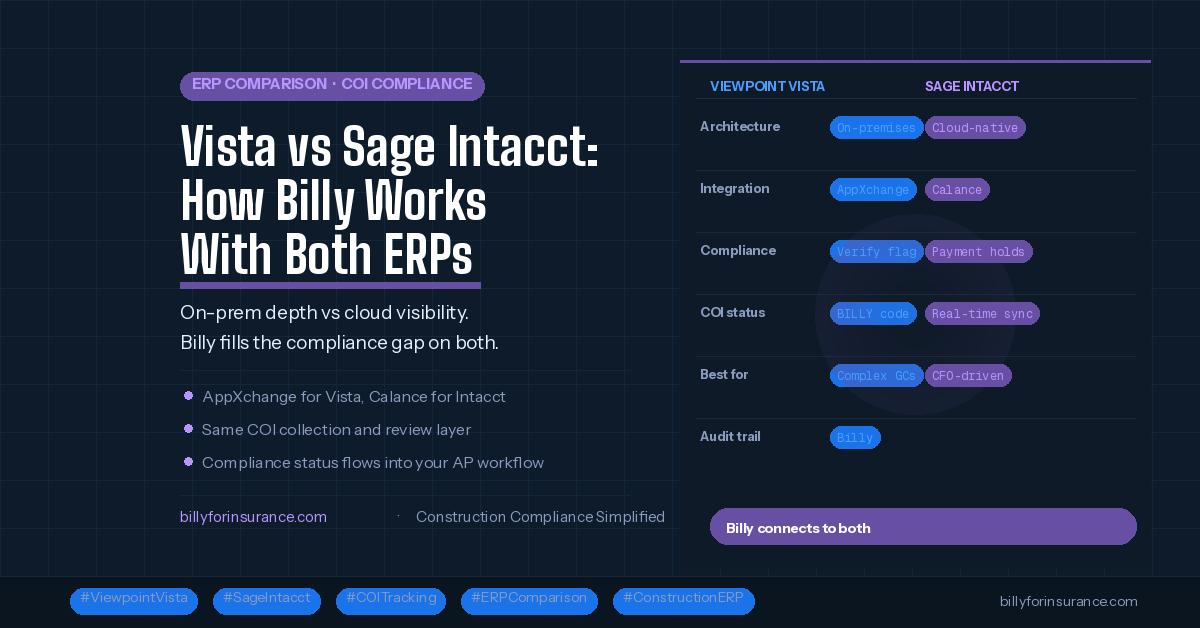
Viewpoint Vista and Sage Intacct Construction represent two distinct philosophies in construction accounting software. Vista is a deep, on-premises-first ERP built for complex operational control. Sage Intacct is a cloud-native financial management platform built for real-time visibility and modern finance workflows.
Both are being seriously evaluated by mid-to-large contractors right now. And both have the same gap when it comes to vendor insurance compliance: they track status, but neither automates the collection, review, and renewal of the underlying documents.
This guide covers how Vista and Sage Intacct compare, how Billy integrates with each, and what the compliance workflow looks like on both platforms.
How Viewpoint Vista and Sage Intacct differ
These two platforms are often compared by contractors who are either evaluating ERPs for the first time or considering a move away from a legacy system. They serve meaningfully different operational profiles.
| Factor | Viewpoint Vista | Sage Intacct Construction |
|---|---|---|
| Architecture | On-premises or hosted; part of Trimble Construction One suite | Cloud-native; entirely browser-based, no on-prem option |
| Best fit | Larger GCs with complex multi-entity financials and deep operational needs | Growing contractors seeking modern financial controls and CFO-level visibility |
| Deployment model | Desktop, hosted, or Trimble cloud; requires IT involvement | Web-based; accessible from any device without on-site infrastructure |
| UI / usability | Functional but dated; steep learning curve for new users | Modern, more intuitive; lower training requirement |
| Job costing depth | Deep and flexible; excellent for complex union and certified payroll | Strong financial controls; growing construction-specific depth via Intacct Construction module |
| Compliance tracking | Built-in compliance codes + AP Verify flag; SLHD/SLIT table architecture | Automated payment holds/releases; ties compliance status to invoice approval |
| Integration approach | Trimble AppXchange; open SQL; third-party connectors | Native cloud integrations; via Calance for construction-specific workflows |
| Buyer profile | Finance-heavy GCs; high compliance complexity; Trimble ecosystem users | CFO-driven companies; growing firms moving off legacy systems; visibility-first teams |
Your firm runs multiple entities, has complex union and certified payroll requirements, or needs the deepest possible integration between accounting and field operations. You’re comfortable with a higher implementation investment.
Your CFO or controller wants real-time dashboards, cloud accessibility, and a system that’s faster to implement and maintain. You’re a growing contractor moving off QuickBooks or a legacy on-prem system.
The compliance gap both ERPs share
Despite their architectural differences, Vista and Sage Intacct share the same structural gap when it comes to vendor insurance compliance.
Vista has compliance codes and groups tied to an AP Verify flag — the system can block payments when required documents aren’t current. Sage Intacct Construction has automated payment hold and release logic that ties compliance status to invoice approval. Both give you enforcement at the payment stage.
What neither platform does:
- Send automated COI collection requests to vendors or their insurance brokers
- Review incoming certificates against your specific contract requirements
- Send renewal reminders 30 and 60 days before expiration
- Provide vendors with a no-login document submission portal
- Maintain a structured, per-vendor auditable compliance trail
Whether you’re running Vista’s compliance codes or Sage Intacct’s payment hold logic, someone on your team is still manually chasing certificates, reviewing PDFs, and entering data. That’s the work Billy automates — and it feeds directly back into whichever ERP you’re running.
How Billy connects to Viewpoint Vista
The Billy + Vista integration connects through the Trimble AppXchange marketplace. A dedicated compliance code called BILLY is created inside Vista’s compliance setup. When Billy verifies a vendor’s COI or W-9, it updates the status of that compliance code in Vista, so the AP Verify flag check reflects Billy’s current review — not whatever was manually entered last.
Setup requires the Vista service account to have Security Groups 1001 and 1002, plus read/write access to the SLHD and SLIT subcontract tables. SL contract numbers are imported into Billy’s External ID field to match vendors across both systems.
For a full walkthrough of Vista’s compliance architecture and how the BILLY code fits in: How compliance tracking works in Viewpoint Vista.
How Billy connects to Sage Intacct
The Billy + Sage Intacct integration is built for construction finance teams and connects through Calance, Sage Intacct’s construction partner. It’s designed around real-time COI syncing with Sage Intacct’s payment approval workflows.
Real-time COI syncing
Billy automatically syncs vendor COI status between Billy, Procore (if you use it), and Sage Intacct. Compliance status updates appear directly in Intacct — no manual uploads, no spreadsheet reconciliation. AP teams processing invoices see current compliance status without leaving their workflow.
Automated payment holds and releases
When a vendor’s coverage expires or fails Billy’s review, Billy flags it and updates Sage Intacct, allowing your accounting team to hold or release payments with confidence. This is the Intacct equivalent of Vista’s Verify flag — compliance-driven payment control, maintained automatically rather than through manual entry.
Smart alerts and expiration reminders
Billy monitors every policy expiration date and sends automated renewal reminders to the vendor and their broker at 30 and 60 days out. Expiration-driven payment holds become rare because the renewal is already in motion before the old certificate lapses.
Billy connects to Procore, Sage Intacct, and Viewpoint Vista — all simultaneously if needed. COI status flows into Procore’s project compliance layer, into Sage Intacct’s AP payment controls, and maintains a single per-vendor audit trail across all three. No duplicate records, no manual reconciliation between systems.
Billy on Vista vs Billy on Sage Intacct: side by side
- Connects via Trimble AppXchange
- Real-time compliance code update (
BILLY) - Status surfaces in Vista’s AP Verify flag
- Requires SLHD/SLIT access + Security Groups 1001/1002
- SL contract numbers map vendors across systems
- Strong fit for complex multi-entity GC environments
- Connects via Calance construction integration
- Real-time COI sync across Billy, Procore, and Intacct
- Automated payment holds and releases in Intacct
- Smart alerts for expiring policies to vendor + broker
- Purpose-built for finance and risk teams
- Strong fit for cloud-first, CFO-driven construction teams
The connection mechanism differs — AppXchange compliance code for Vista, Calance real-time sync for Intacct — but the AP team’s experience is the same on both: compliance status in the payment workflow is accurate and current without manual maintenance.
| Workflow step | On Viewpoint Vista | On Sage Intacct |
|---|---|---|
| Vendor onboarding | Billy sends structured request — COI, W-9, business license — before first invoice on either platform | |
| COI collection | Vendors submit via no-login portal; Billy extracts data and pre-fills vendor record | |
| Document review | AI Review Assistant checks coverage, endorsements, and effective dates against contract requirements | |
| Renewal outreach | Automated reminders to vendor and broker at 60 and 30 days before expiration | |
| Status in ERP | BILLY compliance code updated; Verify flag reflects current status | Real-time sync to Intacct via Calance; payment hold/release triggered automatically |
| AP enforcement | Vista Verify flag fires for genuine compliance gaps, not data lag | Intacct holds invoices from non-compliant vendors automatically |
| Audit readiness | Single auditable compliance trail per vendor in Billy, accessible on demand | |
Which ERP is right for your firm
The COI compliance workflow is not the deciding factor between Vista and Sage Intacct. Billy connects to both, and the day-to-day compliance experience for your AP team looks materially the same on either platform.
What should drive the decision:
- Cloud vs on-premises preference: If your team wants to be entirely off on-premises infrastructure, Sage Intacct is the only choice of the two. Vista offers cloud-hosted options but started on-prem and still carries that architecture.
- Complexity of your payroll: Vista’s payroll module, particularly for union and certified payroll workflows, has deeper construction-specific configuration. Intacct Construction is growing but Vista has more built-in construction payroll history.
- Who’s driving the decision: If the CFO or controller is driving the evaluation and wants modern dashboards and real-time financial visibility, Sage Intacct tends to win. If operations or IT are driving it with a focus on tight integration between accounting and field management, Vista’s Trimble ecosystem tends to win.
- Existing Trimble stack: If your firm already uses other Trimble products — Trimble ProjectSight, Field Management, or HR Management — Vista’s AppXchange ecosystem is a meaningful reason to stay within Trimble.
- Growth trajectory: For firms coming off QuickBooks or a legacy on-prem system, Sage Intacct often provides a faster path to cloud-native operations. For established large GCs, Vista’s depth is harder to replace.
If you’re comparing Vista and Sage Intacct alongside Sage 300 CRE, see also: Viewpoint Vista vs Sage 300: How Billy works with each.
See how Billy works with your ERP
Whether you’re on Vista, Sage Intacct, or still evaluating — we’ll walk through the integration and what COI compliance automation looks like for your specific stack.
Related reading
Summary
Viewpoint Vista and Sage Intacct Construction take different approaches to construction financial management — on-prem-first depth vs cloud-native visibility — but they share the same gap when it comes to vendor compliance: both enforce at the payment stage, but neither automates the collection, review, and renewal of the underlying documents.
Billy fills that gap on both platforms through distinct integrations — AppXchange compliance code for Vista, Calance real-time sync for Sage Intacct — and the AP team’s experience is materially the same on either side: compliance status is always current, COI chasing is automated, and payment holds are driven by genuine compliance issues rather than manual data lag.