Last updated: March 2026 · 8 min read
If you work in construction, property management, or any business that hires vendors and subcontractors, you will encounter COIs constantly. Requesting them, reviewing them, chasing expired ones, and storing them safely is a significant administrative burden — and getting it wrong can expose your company to serious financial risk.
This guide explains exactly what a COI is, how to read one, what to look for, and how to manage them at scale without the headache.
What Does COI Stand For?
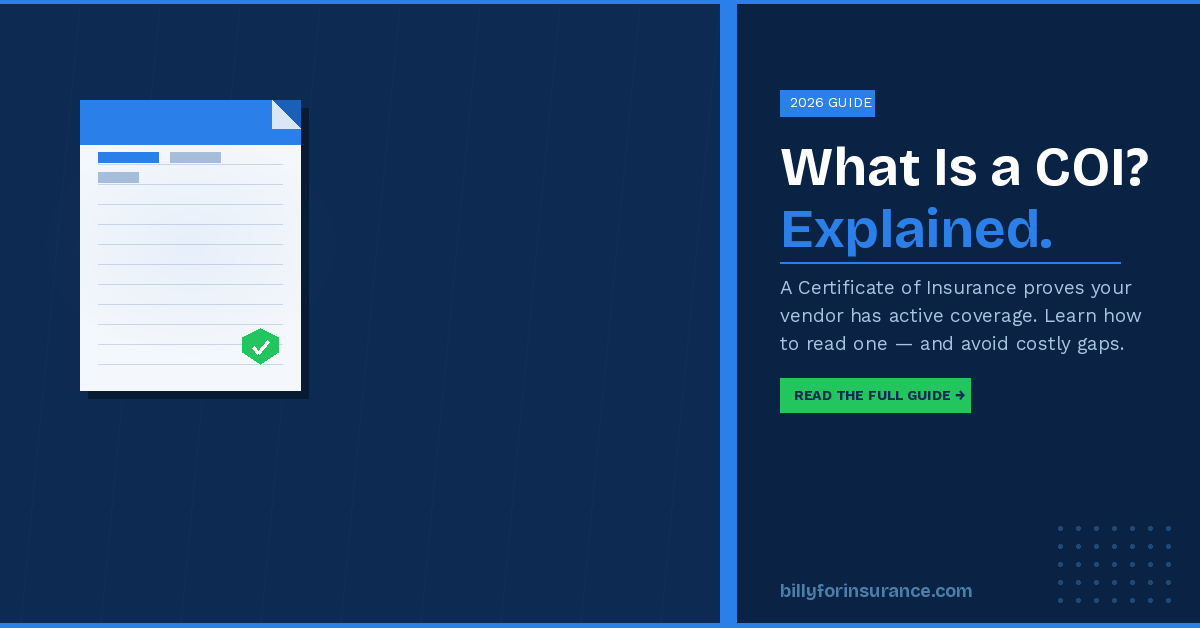
COI stands for Certificate of Insurance. You may also see it referred to as a certificate of liability insurance, an ACORD 25 certificate, or simply an insurance certificate. All of these terms refer to the same document.
The most common form used in the United States is the ACORD 25, issued by insurance brokers on behalf of their clients. It summarizes the types and limits of coverage in force on a given date.
Why Do Companies Request COIs?
When you hire a contractor, subcontractor, or vendor, you are inviting third parties onto your job sites or into your business operations. If they cause an accident, damage property, or injure someone while working for you, you could be held liable — even if the fault was entirely theirs.
Requiring a COI before work begins protects you by confirming:
- The vendor or contractor actually has insurance (and is not just claiming they do)
- The coverage is currently active and has not lapsed
- The coverage meets the minimum limits your contract requires
- Your company is named as an additional insured where required
- The policy will not be cancelled without notifying you
Without a valid COI on file, you may be unknowingly assuming liability for accidents, injuries, or damage caused by your contractors. Courts have found general contractors responsible for subcontractor incidents when proper insurance verification was not in place. For a deeper look at what documentation you should be collecting beyond the COI itself, see our guide to 5 essential construction compliance documents.
What Does a COI Look Like?
A standard COI is a single-page document divided into several sections. Here is what each section means:
Producer (Top Left)
This is the insurance broker or agency that issued the certificate. They are not the insurance company — they are the intermediary who represents the insured. If you need to verify coverage or request changes, you contact the producer.
Insured (Middle Left)
This is the business or individual that holds the insurance policy — typically your vendor, contractor, or subcontractor. Verify that the name here matches exactly who you are contracting with. Mismatches are a common compliance issue.
Insurers (Right Column)
These are the actual insurance companies providing coverage. Each policy listed will show the insurer’s name and NAIC number. For high-value contracts, you may want to verify the financial strength rating of the insurer by looking up their AM Best rating.
Coverages Section
This is the most critical part of the document. It lists each type of insurance the insured carries, along with policy number, effective date, expiration date, and coverage limits.
Common coverage types you will see include:
- Commercial General Liability (CGL) — covers bodily injury and property damage
- Automobile Liability — covers vehicles used in business operations
- Workers Compensation — covers employees injured on the job
- Umbrella / Excess Liability — provides additional limits above other policies
- Professional Liability / E&O — covers professional errors and omissions
- Builders Risk — covers property under construction
Understanding how endorsements interact with these coverages is equally important. Our guide on COI vs. endorsement explains the difference and when each matters.
Certificate Holder (Bottom Left)
This is the company or person requiring the COI — typically you or your organization. If you are listed as the certificate holder, you have the right to be notified if the policy is cancelled. However, being a certificate holder does NOT automatically make you an additional insured. Those are two different designations.
Description of Operations
This free-text field can include critical information such as the project name, additional insured designation, endorsements, or specific requirements from your contract. Always read this section carefully — many compliance issues are hidden here (or missing from here).
Certificate Holder vs. Additional Insured: What’s the Difference?
A certificate holder is simply a party that receives a copy of the certificate and is notified of cancellations. It provides no coverage protection.
An additional insured is a party that is actually added to the insurance policy and can make claims under it. This is the designation you typically want when hiring contractors for your projects.
To be added as an additional insured, the contractor must attach an endorsement to their policy — most commonly a CG 20 10 (for ongoing operations) or CG 20 37 (for completed operations). The COI should reflect this in the Description of Operations box. For a full breakdown of both forms, see our guide on CG 20 10 and CG 20 37 endorsements.
We cover this distinction in much more detail in our article on certificate holder vs. additional insured — worth reading if your contracts regularly require additional insured status.
What Are the Most Important Things to Check on a COI?
When you receive a COI, do not just file it — review it. Here is a quick checklist:
1. Is the insured name correct? The name on the certificate should match the legal entity you are contracting with exactly. A DBA or subsidiary name is not the same as the parent company.
2. Is coverage still active? Check the expiration dates on every policy. A COI that expired last month is worthless. This is one of the biggest pain points in manual COI management.
3. Are the limits high enough? Compare the limits on the certificate against the minimums required in your contract. Common minimums for construction are $1M per occurrence / $2M aggregate for general liability.
4. Are the right endorsements in place? If your contract requires additional insured status, check that the description of operations reflects this — and that the endorsement type matches what you need (CG 20 10 and/or CG 20 37).
5. Are you listed as the certificate holder? Your company name and address should appear in the certificate holder box so you are notified of cancellations.
6. Does the policy cover the right type of work? The description of operations should reference your project or scope of work. Generic certificates may not provide coverage for your specific project.
For a step-by-step walkthrough of the full review process, see our guide to reviewing a certificate of insurance.
Common COI Problems (and How to Avoid Them)
Expired Certificates
The most common COI problem is simply that certificates expire and no one catches it in time. A contractor who had valid insurance in January may have a lapsed policy by July. Without a system to track expiration dates and send renewal reminders, these fall through the cracks.
Wrong Coverage Limits
A COI may show active insurance but with limits below what your contract requires. For example, your contract may require $2M per occurrence but the certificate shows $1M. This leaves you underprotected if a major claim occurs.
Missing Endorsements
A certificate may indicate additional insured status in the description box, but if the actual endorsement is not attached or referenced correctly, the coverage may not hold up in a claim.
Mismatched Insured Names
If you hire ABC Construction LLC but the certificate shows ABC Construction Inc., those are technically different legal entities. Always verify the exact legal name.
Manual Tracking Chaos
Many companies try to manage COIs in spreadsheets or shared drives. As the number of vendors grows, this becomes unmanageable. Certificates expire without notice, follow-up emails pile up, and compliance reviews become fire drills. If you are still using a spreadsheet, our free COI tracking template for Excel is a good starting point — but it has real limits at scale.
How to Manage COIs at Scale
For companies managing COIs for dozens or hundreds of vendors and subcontractors, manual processes create real financial and legal risk. Automated COI tracking software solves this by:
- Automatically extracting data from certificates using AI (no manual data entry)
- Flagging expired or non-compliant certificates before they become a problem
- Sending automated renewal reminders to vendors
- Maintaining a compliance audit trail
- Integrating directly with platforms like Procore, Sage, and Autodesk
Beyond COI tracking, many construction teams are also building out full subcontractor prequalification workflows to verify insurance, licensing, and safety records before a vendor ever sets foot on a job site.
Billy’s COI tracking software is purpose-built for construction and property management teams. It automates the entire process — from vendor requests to AI-powered certificate review to compliance dashboards — so your team can focus on projects instead of paperwork.
Frequently Asked Questions
How long does it take to get a COI?
Most insurance brokers can issue a COI within a few hours or the same business day. For urgent requests, a good broker can often turn one around in under an hour. If a vendor is slow to provide one, that can sometimes indicate a coverage issue worth investigating. See our full guide on how to get a certificate of insurance for the step-by-step process.
Does a COI expire?
Yes. A COI reflects the coverage in force on a specific date. The certificate itself expires when the underlying policies expire — typically annually. You should request updated certificates before each policy renewal date.
Is a COI the same as an insurance policy?
No. A COI is only a summary of coverage. It is not a legal contract and does not guarantee coverage. Only the actual insurance policy determines what is and is not covered. However, a COI is the standard way to verify coverage without reviewing the full policy.
Who pays for the additional insured endorsement?
The contractor or vendor whose policy is being extended typically bears the cost. Some insurers charge a small premium for adding additional insureds; others do it for free. It is standard practice to require this of subcontractors in construction contracts.
What is ACORD 25?
ACORD 25 is the standardized form used for certificates of liability insurance in the United States. It is maintained by ACORD (Association for Cooperative Operations Research and Development) and is the format you will see from virtually all U.S. insurance brokers. ACORD 28 is the equivalent form for property insurance.
Summary: What You Need to Know About COIs
A Certificate of Insurance is the foundation of insurance compliance in construction and vendor management. It proves coverage exists, identifies the type and limits of that coverage, and designates certificate holders and additional insureds.
The key things to remember:
- A COI is proof of insurance, not an insurance policy
- Certificate holders get notified of cancellations; additional insureds get actual coverage
- Always check expiration dates, coverage limits, and endorsements
- Managing COIs manually at scale is a major operational risk
- Automated COI tracking software eliminates the compliance gaps that manual processes leave behind
Want to go deeper? Check out our complete guide to managing construction COIs for a full walkthrough of how high-volume teams handle the process end to end.