Last updated: March 2026 · 7 min read
There are two very different reasons someone searches “how do I get a certificate of insurance” — and the answer depends on which side of the transaction you are on:
- You need to get a COI for yourself — because a client, general contractor, or property owner is requiring proof of your insurance before you can work.
- You need to request a COI from someone else — because you are a general contractor, project owner, or property manager who needs proof that your vendors and subcontractors are properly insured.
This guide covers both. Jump to the section that fits your situation.
Part 1: How to Get a Certificate of Insurance for Your Own Business
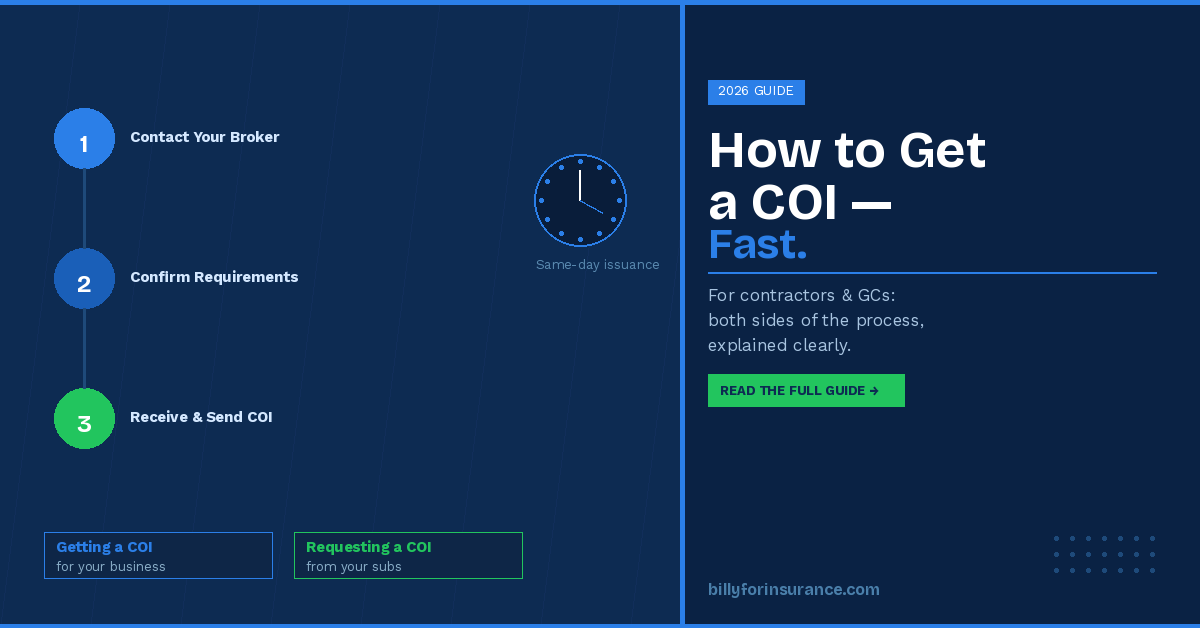
Step 1: Contact Your Insurance Broker or Agent
Your insurance broker is the person or agency that manages your policy. They are the ones who issue the COI — not the insurance company directly. If you are not sure who your broker is, check your policy documents, any renewal notices you have received, or the invoices you pay for your coverage.
Contact them by email or phone and request a certificate of insurance. Most brokers have a standard form or process for this. It helps to have the following information ready when you call:
- The name and address of the certificate holder — the company or individual requiring the COI
- Whether you need to be listed as an additional insured anywhere, and what type (CG 20 10 for ongoing operations, CG 20 37 for completed operations)
- The project name or description to include in the Description of Operations box
- Any specific coverage limits required by your contract
- Whether a waiver of subrogation or primary and non-contributory language is required
The more information you give your broker upfront, the faster they can issue the certificate and the less likely it is to come back non-compliant.
Step 2: Check If You Can Download It Instantly
Many insurance carriers now offer self-service portals where policyholders can download a standard COI immediately without waiting for a broker. Log in to your insurer’s online account portal and look for a “Documents,” “Certificates,” or “Proof of Insurance” section.
Keep in mind that self-service portals typically only generate standard certificates. If your client requires additional insured endorsements, specific endorsement language, or custom certificate holder wording, you will still need to go through your broker to get those added correctly.
Step 3: Review Before You Send
Before forwarding the COI to your client, take 60 seconds to review it. Check that:
- The insured name matches your legal business name exactly
- The certificate holder name and address are correct
- Coverage is not expired — check the effective and expiration dates
- The coverage limits meet what your contract specifies
- Any required additional insured or endorsement language appears in the Description of Operations
Sending a COI with errors or missing endorsements will just result in it being rejected and the process starting over. It is worth the quick check.
How Long Does It Take?
For a standard certificate with no endorsement changes needed, most brokers can issue a COI within a few hours of your request — often faster. If your policy requires modifications such as adding an additional insured or adjusting coverage limits to meet contract requirements, allow 24–48 hours for the broker to process the endorsement with the carrier.
The fastest way to get a COI is to maintain a good relationship with your broker and always give them complete information on the first request. If you are frequently asked for COIs, ask your broker about self-service options or discuss setting up a standing authorization that speeds up future requests.
How Much Does a COI Cost?
A standard certificate of insurance is free — it is simply documentation of a policy you are already paying for. Your broker should issue COIs at no charge. Adding endorsements (such as additional insured status) may carry a small premium from the carrier, depending on your policy terms, but in most cases is included at no extra cost for standard construction contracts.
Part 2: How to Request a COI from a Subcontractor or Vendor
If you are a general contractor, property manager, or project owner, getting a COI means something different — it means collecting proof of insurance from the vendors and subcontractors working on your behalf. This is where most of the compliance complexity lives.
Step 1: Know What You Need Before You Ask
Before you send a COI request to a subcontractor, you need to know exactly what your contract requires. The most common requirements include:
- Coverage types — commercial general liability, auto liability, workers compensation, umbrella, and sometimes professional liability or builders risk
- Minimum limits — e.g., $1M per occurrence / $2M aggregate for general liability
- Additional insured designation — specifying whether you need a CG 20 10, CG 20 37, or both. For a full breakdown, see our guide on CG 20 10 and CG 20 37 endorsements.
- Waiver of subrogation — whether the subcontractor’s insurer waives its right to sue you if they pay a claim
- Primary and non-contributory language — requiring that the sub’s policy responds first before yours
- Certificate holder information — your company name and address to be listed on the certificate
Sending a vague COI request leads to vague COIs. The more specific your request, the less back-and-forth you will deal with.
Step 2: Send a Formal COI Request to the Subcontractor
Send your COI requirements in writing to the subcontractor before work begins — ideally as part of your contract or subcontract agreement. Include a sample letter or template specifying exactly what you need. We have a sample letter to request COIs from subcontractors you can use as a starting point.
Direct the subcontractor to forward your requirements to their insurance broker. The broker is the one who actually issues the certificate. Subcontractors often do not understand the specifics of what is required — giving them a clear written summary prevents errors and saves time for everyone.
Step 3: Review the COI When You Receive It
Do not simply file a COI when you receive it. Review it against your contract requirements. The most common issues to catch include:
- Coverage limits that do not meet your contractual minimums
- Missing or incorrectly worded additional insured endorsements
- The insured name not matching the entity you have under contract
- Policies that expire mid-project without a renewal plan in place
- Missing waiver of subrogation or primary and non-contributory language
For a complete step-by-step review process, see our guide on how to review a certificate of insurance. The distinction between a certificate holder and an additional insured is also frequently misunderstood — our article on certificate holder vs. additional insured explains it clearly.
Step 4: Track Expiration Dates and Renewals
Getting a COI once is not enough. Insurance policies expire — typically annually — and a certificate that was valid when you collected it at the start of a project may be expired months later when you need it to hold up. You need a system to track when each certificate expires and to automatically request renewals before the gap occurs.
Many construction teams start with a COI tracking spreadsheet, but as the number of subcontractors and projects grows, manual tracking creates real risk. Certificates fall through the cracks, follow-up emails pile up, and compliance reviews before project kickoffs become fire drills.
How to Manage COI Collection at Scale
For teams managing COIs across dozens or hundreds of subcontractors and vendors, the real question is not just how to get a single COI — it is how to build a system that keeps you compliant across all your projects, all the time.
Automated COI tracking software handles this by:
- Sending automated COI requests to vendors and their brokers
- Using AI to read and extract data from certificates automatically — no manual data entry
- Flagging non-compliant or expired certificates immediately
- Sending renewal reminders before policies lapse
- Maintaining a complete audit trail for each vendor and project
- Integrating with Procore, Sage, Autodesk, and your other project management tools
Billy is built specifically for construction teams managing this process. It eliminates the back-and-forth of chasing COIs manually and gives your compliance team a single place to see the status of every vendor, on every project, in real time. You can also combine COI collection with subcontractor prequalification to verify insurance, licensing, and safety records before a vendor is ever approved to work.
Frequently Asked Questions
Who issues a certificate of insurance?
A COI is issued by the insured party’s insurance broker or agent — not the insurance company directly. The broker is the intermediary who prepares the certificate on behalf of their client (the insured) and sends it to whoever requested it.
Can I request a COI from any insurer?
You can only request a COI for a policy you hold or that names you as a party. If you need a COI from someone else (a subcontractor, for example), you must request it from them — they in turn request it from their broker.
What if a subcontractor refuses to provide a COI?
This is a red flag. In most construction contracts, providing proof of insurance is a contractual obligation before work begins. A subcontractor who cannot or will not provide a COI may have a lapsed policy, insufficient coverage, or no insurance at all. Do not allow work to begin until you have a valid, compliant certificate on file. Our guide to common COI compliance misconceptions covers what to watch for.
How long is a COI valid?
A COI is valid for as long as the underlying insurance policies are active. Most commercial policies renew annually, so most COIs effectively expire within 12 months. Always check the expiration date on each policy listed on the certificate, and build a renewal process into your compliance workflow.
Can I get a COI if I don’t have insurance?
No. A COI can only be issued for an active insurance policy. If you do not have the required coverage, you will need to purchase a policy first. If your work requires specific coverage types or limits, discuss your contract requirements with your broker before getting coverage so your policy is structured correctly from the start.
What is the difference between a COI and an insurance policy?
A COI is a one-page summary of your coverage — it proves a policy exists but does not contain the full terms, conditions, or exclusions of the policy. Only the actual policy document defines what is and is not covered. For a full explanation, see our guide on what is a COI and how to read one.
Summary
Getting a certificate of insurance comes down to two situations. If you need one for your own business, contact your insurance broker with the full details of what is required — certificate holder name, additional insured requirements, coverage limits, and project description. Most brokers can turn it around the same day. If you need to collect COIs from subcontractors and vendors, the key is having a clear, written request with your exact requirements, reviewing every certificate you receive, and building a system to track renewals so nothing expires mid-project.
The more projects and vendors you manage, the more important it is to have a scalable process in place. Manual tracking in spreadsheets works up to a point — after that, the risk of something slipping through is too high.